Samsung Galaxy S23 repairs: screens, batteries and other common faults
A cracked Galaxy S23 screen can leave you choosing between repair prices that seem to have little in common. One includes a frame, another mentions a service pack and a third simply says replacement screen. Once you know what is included, the choice becomes easier. This guide is for the standard S23, with its compact flat display and three rear cameras.
Check your model: SM-S911B / SM-S911B/DS (common UK/international variants). If you can, check the name and code in Settings before ordering parts.
Which replacement screen should you choose?
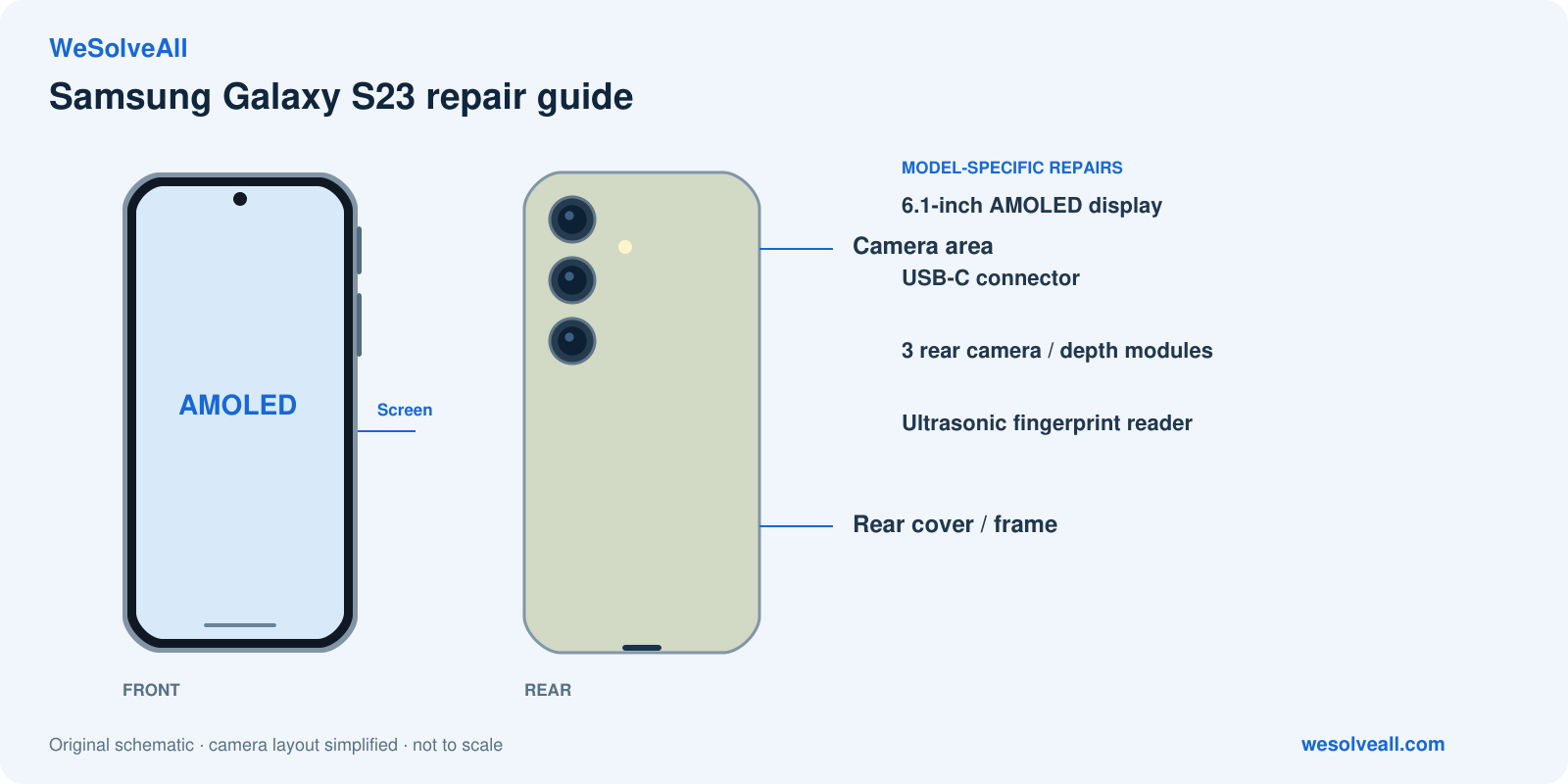
The standard Galaxy S23 has a 6.1-inch AMOLED screen and an ultrasonic fingerprint reader underneath. A quote needs to cover both the correct display and the unlocking functions you expect to keep. S23 FE, S23+ and Ultra screens are different parts.
These are the part descriptions you may come across. The shop needs to confirm what it can supply for your exact phone; every option won't be available from every repairer.
| Screen option | What you are paying for |
|---|---|
| New genuine Samsung AMOLED | A new manufacturer-origin screen, if the shop can source one. Ask it to identify the part, confirm that it is new and include fitting, testing and any required repair-completion work in the price. |
| Used original AMOLED | An original screen taken from another handset. It is still a used part, so ask about scratches, wear, testing and its suitability for reuse on your phone. |
| Refurbished original AMOLED | An original panel with specified damaged parts renewed, often the outer glass. Ask what remains original, what has been replaced and who guarantees the finished screen. It isn't the same as a completely new manufacturer-supplied assembly. |
| Compatible aftermarket AMOLED | A replacement made by another manufacturer for this handset. Quality varies. Compare the actual display specification, supported features and testing rather than relying on a general quality label. |
| Budget replacement, if suitable | Budget describes a price level rather than a screen technology. Ask which exact panel the shop has, whether it changes the original technology and how it affects touch, fingerprint unlocking and fit. Availability needs checking. |
| Glass-only refurbishment | A specialist replaces the broken outer glass while keeping a suitable working panel. The picture, touch layers and frame need checking first. It won't cure damage inside the display. |
Does the screen price include the frame?
A genuine Samsung service-pack repair may be supplied as a specified assembly, while another quote may cover a display without the same frame or included parts. Ask the shop exactly what is in its package; don't assume a battery is included just because one supplier sells a particular bundle.
A bent frame needs attention before a new display is fitted. If the S23 landed on a corner, show the repairer that damage as well as the crack across the front.
Keep fingerprint unlocking in the conversation
A picture that looks fine is only part of a successful screen repair. Ask whether the replacement supports the ultrasonic fingerprint reader and whether any necessary calibration is included. Try unlocking the phone before you hand it over and again when you collect it.
Refurbished original and aftermarket displays also need clear descriptions. Ask what remains original, what has been renewed and how the finished screen is tested. Price labels such as budget or premium don't answer those questions.
Charging and camera problems need the right tests
The USB-C charging connection can involve the S23's lower circuit board and its links to the rest of the phone. A loose cable still needs its lead and socket checked first. Tell the shop if charging, computer connection and call audio have changed together.
There are separate main, ultra-wide and telephoto rear cameras. Try the different views and explain which fails. Damage to an external lens cover doesn't automatically mean the internal camera needs changing.
What else can be repaired on your Samsung Galaxy S23?
You don't need to know the name of a faulty part before contacting a shop. The list below covers the repair and diagnostic areas for this model. Open a section to find the problem you recognise. Some parts share an assembly, so several symptoms may lead to one repair rather than several separate charges.
Screen and touch
- Display assembly
- Cracks, dark patches, lines or touch problems can call for a replacement screen assembly. The shop should check the display, frame and connections, then explain which of the screen choices above suits the damage.
- Front glass refurbishment
- If the picture and touch still work, a specialist may be able to keep the original panel and replace its outer glass. The display and frame have to be suitable; cracks alone don't settle that decision.
- Display connectors and circuit
- A connection or circuit fault can cause a missing image or unreliable touch. The repairer may need to repair the connector or original board. This OLED phone doesn't have a separate LCD-style backlight.
Battery and charging
- Battery and battery connector
- Shorter runtime, unexpected shutdowns or swelling are reasons to have the battery checked. If it needs replacing, ask whether the new battery is genuine or compatible, its stated capacity and warranty, and what battery information the phone should show afterwards. Stop charging a swollen phone.
- USB-C charging socket
- A cable that won't seat properly, interrupted charging or a failed computer connection can involve the USB-C socket. Ask the shop to check the cable and opening before deciding whether cleaning, connector work or a replacement assembly is needed.
- Wired charging and USB data diagnosis
- Tell the shop if charging is slow, the connection drops or a computer no longer recognises the phone. Testing a compatible lead and charger helps separate an accessory problem from socket or circuit damage.
- Wireless charging assembly
- If wireless charging fails while cable charging works, mention that. The shop can check a suitable charger and case first, then the coil, connections and charging circuit. A broken back may need checking at the same time.
Cameras and fingerprint unlocking
- 50MP main camera
- A camera that shakes, won't focus or shows a black picture needs testing in the affected view. The shop can check the module and its connections, then name the actual camera or combined assembly in the quote.
- 12MP ultra-wide camera
- A camera that shakes, won't focus or shows a black picture needs testing in the affected view. The shop can check the module and its connections, then name the actual camera or combined assembly in the quote.
- 10MP 3× telephoto camera
- A camera that shakes, won't focus or shows a black picture needs testing in the affected view. The shop can check the module and its connections, then name the actual camera or combined assembly in the quote.
- External camera lens cover / surround
- Broken protective glass and a faulty camera are different repairs. The shop can inspect the lens cover, surround and camera beneath it before deciding whether new cover glass is enough.
- Front / selfie camera
- A blurry, black or unreliable selfie image needs the front camera and its connection checked. Mention whether the rear cameras still work and whether the fault followed a drop or moisture exposure.
- Ultrasonic fingerprint reader
- Fingerprint unlocking can be affected by the screen, the ultrasonic reader or the repair setup. Ask for checks before and after screen work, including any required calibration, rather than assuming the reader needs replacing.
- Flash and rear recording audio
- A failed torch, flash or poor audio while filming can involve different parts. Tell the shop exactly which functions fail so it can check settings, temperature restrictions, the microphone and the relevant connections.
Sound, calls and microphones
- Top / earpiece speaker
- Quiet or distorted sound at your ear can come from a blocked grille, speaker or connection fault. The shop can clean or replace the affected part, taking care around any adjoining front sensors.
- Bottom loudspeaker
- Missing or distorted ringtones, music or speakerphone audio can involve the bottom speaker. Its outlet and connections need checking before a replacement is chosen; persistent faults may need audio-circuit work.
- Microphones and audio paths
- Tell the repairer whether people can't hear you on calls, voice recordings sound poor or video audio is affected. Different modes can use different microphones, so the openings, relevant assembly and audio connections need testing.
Buttons, vibration and sensors
- Side / power and volume buttons
- Sticking controls, a missing click or an unreliable response can involve the external button, its mechanism or an internal cable. Describe which control fails and let the shop check settings and damage before selecting a part.
- Vibration / haptic actuator
- If vibration has become weak, noisy or stopped altogether, check the settings first. The repairer can then check the vibration unit and its connection and replace the correct part if needed.
- Proximity and ambient light sensing
- A screen that stays on against your cheek or brightness that changes oddly can involve the front sensors or their path through the screen. Mention if the problem began after screen work so fit and connections can be checked.
Signal, SIM and other connections
- SIM tray and physical reader, where fitted
- A damaged tray, stuck card or SIM detection problem needs the SIM and regional hardware checked. Some imported versions use different arrangements; an eSIM-only phone has no physical tray to replace.
- Mobile antennas and signal connections
- Poor reception needs coverage, account and SIM problems ruled out first. If hardware is responsible, the shop can check antennas and connectors, with specialist modem or board work where necessary.
- Wi-Fi, Bluetooth, GPS and NFC
- Explain which connections fail and whether the problem happens with more than one network or accessory. Software and settings checks come first, followed by the relevant antennas, connectors or board circuitry if needed.
- Other fitted sensors
- Location, contactless, motion or other sensor problems need their own checks. The shop can separate settings and software issues from damaged antennas or circuitry. These functions aren't all separate plug-in parts.
Back glass, frame and seals
- Back cover / back glass
- Cracked rear glass needs checking for damage underneath. Ask whether the quote covers glass or a complete rear assembly, and have the frame, camera area and wireless charging checked where relevant.
- Frame / enclosure
- Bent corners, gaps and parts that no longer sit correctly can need a replacement housing or frame. Ask which model, colour and assembly the quote covers, and which working parts will be transferred.
- Adhesives, seals and thermal materials
- Opening the phone usually means renewing the adhesives and other materials required by the repair. Ask how it will be resealed and tested. Fresh seals alone don't guarantee the original factory water-resistance rating.
Internal connections and specialist work
- Cables, brackets, shields and fixings
- A damaged cable, connector, bracket or mounting can stop an otherwise working part doing its job. The repairer should identify the broken connection or fixing and quote for that work.
- Motherboard / logic board
- A confirmed circuit fault may need specialist work on the original board or a properly specified replacement. Ask about the difference in price, pairing and data consequences before choosing; another board won't bring back the files on the original one.
- Liquid damage assessment
- Tell the shop what happened and whether the phone was charged afterwards. Inspection and suitable cleaning can establish which parts are affected, but recovery and long-term reliability depend on the damage. Stop charging a wet phone.
- No power, restarting and overheating
- A phone that won't start, keeps restarting or shuts down needs the cause checked. Battery, software, internal connections and board faults can produce similar symptoms, so booking a guessed replacement part can waste money.
Software, backup and data
- Software, backup and data recovery
- Say whether you want normal operation restored, files recovered or help with a backup or transfer. Agree before any reset that could erase data. Recovery depends on the original hardware, damage, encryption and access credentials.
Parts, price and the small print worth reading
For a battery, ask whether the replacement is new genuine or a traceable compatible part, with its capacity and warranty stated. Reusing an original battery control board doesn't make a compatible replacement cell wholly genuine. Cameras, charging assemblies and cosmetic parts need the same clear description of origin, condition and compatibility.
Get the total fitted price, including VAT where applicable, any diagnostic charge and the likely collection time. Agree how the shop will contact you if it finds more damage. If your photos or documents are the priority, say so before a reset or board replacement is discussed.
Samsung Galaxy S23 repair questions
Is an S23 screen the same as an S23 FE screen?
No. They are different handsets with different displays. Give the repairer the full model name and code.
Will the fingerprint reader work after an S23 screen replacement?
That depends on the correct compatible part, the condition of the reader and the repair process. Ask for fingerprint testing and any required calibration to be included.
How much will the repair cost?
The shop needs to know the fault, exact model and proposed part. Ask for the total fitted price and compare the part description, testing and warranty alongside it. Prices and appointment availability come from the selected repairer.
Will the phone be water-resistant afterwards?
Ask how the shop will replace seals and what it can test. Fresh adhesive doesn't, by itself, guarantee the original factory water-resistance rating. Keep a phone with broken glass or openings away from water.
What should I check when I collect it?
Try the repaired function and anything affected by the work: touch, cameras, charging, call sound and the phone's supported unlocking method. Ask the repairer to explain any parts message or feature limitation before you leave.
Find a Samsung Galaxy S23 repair shop
For an S23 screen or component repair, compare what the complete job includes. Find an independent shop through WeSolveAll and settle the part description, warranty and appointment with the repairer.
Find a repair shop