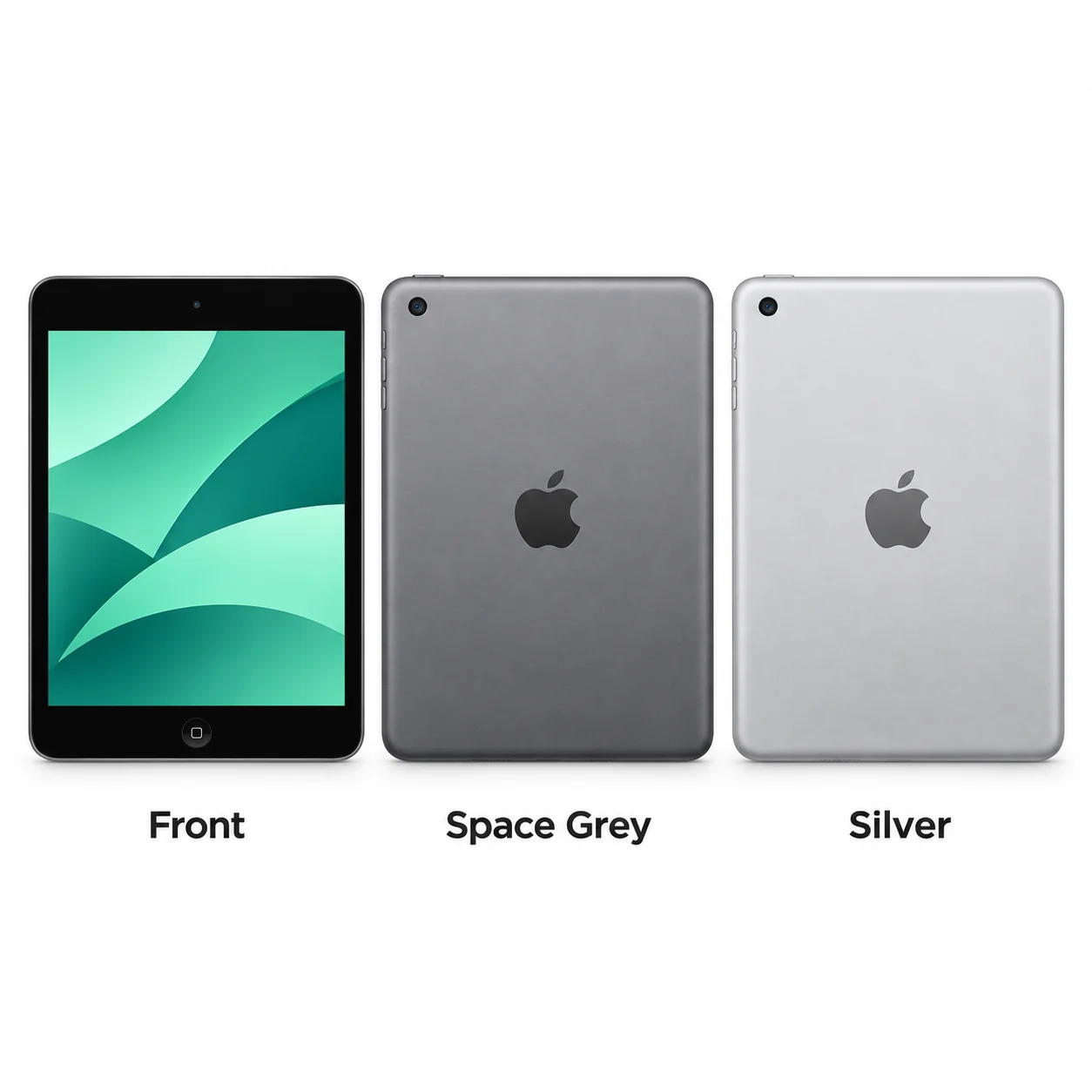
iPad mini 2 model numbers
A model number identifies the model or hardware version and is shared by many devices. Your serial number identifies your individual device; cellular versions also have an IMEI.
Where to find your model number
- Open Settings, then General, then About.
- At Model Number, tap the displayed part number to reveal the A-number.
- Match the A-number to the Wi-Fi or cellular variant below; Model Name alone does not identify every regional radio version.
If the iPad will not turn on: Check the small model number printed on the back of the iPad. Use good lighting; do not open the device.
All 3 A-numbers listed for iPad mini 2 in Apple’s identification guide and verified regional technical specifications, checked 20 November 2026. Wi-Fi and cellular variants share this model page; China, radio and other regional distinctions are retained where Apple states them.
Swipe the table sideways on a narrow screen.
| Model number | Version or region | Useful detail |
|---|---|---|
| A1489 | Wi-Fi | A1489 on the iPad mini 2 Wi-Fi |
| A1490 | Wi-Fi + Cellular | A1490 on the iPad mini 2 Wi-Fi + Cellular; Apple does not assign a complete country-by-country mapping in the identification entry. |
| A1491 | Wi-Fi + Cellular — TD-LTE variant | A1491 on the iPad mini 2 Wi-Fi + Cellular (TD-LTE) – released early 2014 |
All 2 standard colours
These are the original manufacturer finishes listed for this model, including documented later colours. Availability varied over time and by market.
- Space Grey
Black front bezel. Colour swatch is approximate; lighting and screen settings affect appearance.
- Silver
White front bezel. Colour swatch is approximate; lighting and screen settings affect appearance.
Use the colour and the model number together. Lighting, screen settings, cases and replacement backs can change how a device looks.
Getting to know the iPad mini 2
The mini gains a Retina screen
The mini 2 from 2013 uses A7 and increases the 7.9-inch display resolution to 2048 × 1536 pixels. Its Home button still has no Touch ID. The exterior finishes are Space Grey and Silver.
A different display from the original mini
The original mini has a 1024 × 768 display, so mini 2 packs four times as many pixels into the same nominal diagonal. Its body is also slightly thicker at 7.5 mm. A model-code check is more reliable than appearance alone.
Older connections and regional radios
Charging uses Lightning, and this model is not compatible with Apple Pencil. The rear camera is 5MP and the front camera is 1.2MP. Cellular A-codes include a TD-LTE variant released in early 2014; confirm the hardware and network before planning mobile use.
Specifications and what they mean
Read each specification alongside its explanation. Manufacturer test figures describe controlled conditions; age, usage and battery condition affect everyday performance.
Swipe the table sideways on a narrow screen.
| Feature | iPad mini 2 | What it means |
|---|---|---|
| Screen | 7.9-inch LCD (Retina) | The diagonal size describes the screen, not the outside width of the tablet. |
| Resolution | 2048 × 1536 pixels; 326 ppi | Pixel count describes image detail; ppi describes how tightly pixels are packed. |
| Processor | A7 | The chip runs applications and graphics; individual software decides which capabilities it uses. |
| Storage | 16GB, 32GB, 64GB and 128GB | Apple-listed capacity options across this model’s life; usable space is lower after software and formatting. |
| Body size | 200 × 134.7 × 7.5 mm | Height × width × depth before adding a case. |
| Weight | 331 g Wi-Fi; 341 g cellular | The radio hardware can change weight; these are Apple’s listed device weights. |
| Rear camera | 5MP | The rear camera is used for photographs, video and compatible document-scanning functions. |
| Front camera | 1.2MP FaceTime HD | The front camera is the one facing you during a call. |
| Charging and wired connection | Lightning | Use a compatible cable and power adapter. Data speed depends on the cable, accessory and connection mode. |
| Apple Pencil | No compatible Apple Pencil listed | Pencil models are not interchangeable; a compatible software version may be required. |
| Authentication | Passcode; no Face ID or Touch ID | The physical Home button has no fingerprint sensor. |
| Wireless connections | Wi-Fi (802.11a/b/g/n); Bluetooth 4.0 | Wi-Fi needs a suitable network; Bluetooth connects compatible accessories. |
| Mobile data | LTE on cellular models; bands vary by A-code | Wi-Fi-only hardware has no cellular modem. Coverage, plan, network support and regional bands all matter. |
| Apple battery test | Up to 10 hours of web browsing on Wi-Fi or video | A manufacturer test claim for a new battery; real runtime depends on usage, settings, age and condition. |
| Current major software compatibility | Not listed for iPadOS 27 | Checked on 20 November 2026; feature availability is separate from basic operating-system compatibility. |
Software and security updates
iPad mini 2 is not on Apple’s iPadOS 27 compatibility list, checked on 20 November 2026. Check Settings > General > Software Update for the software offered to this model, and check individual app requirements before relying on an older tablet.
Common questions about the iPad mini 2
Which Apple Pencil works with iPad mini 2?
Apple does not list iPad mini 2 as compatible with any Apple Pencil model. A basic capacitive stylus is a different kind of accessory and does not add Apple Pencil support.
Which charging connector does iPad mini 2 use?
iPad mini 2 has a Lightning connector. Choose a cable with that connector at the iPad end and a power-adapter connection that matches your charger.
Does iPad mini 2 have Face ID or Touch ID?
iPad mini 2 has a physical Home button, but no Touch ID or Face ID. A passcode provides device authentication.
Can iPad mini 2 run iPadOS 27?
iPad mini 2 is not on Apple’s iPadOS 27 compatibility list, checked on 20 November 2026. Check Settings > General > Software Update for the software offered to this model, and check individual app requirements before relying on an older tablet.
About this guide
Manufacturer information checked 20 November 2026. Regional features, software availability and colours can vary. Pictures are visual guides; colours and small details are approximate.