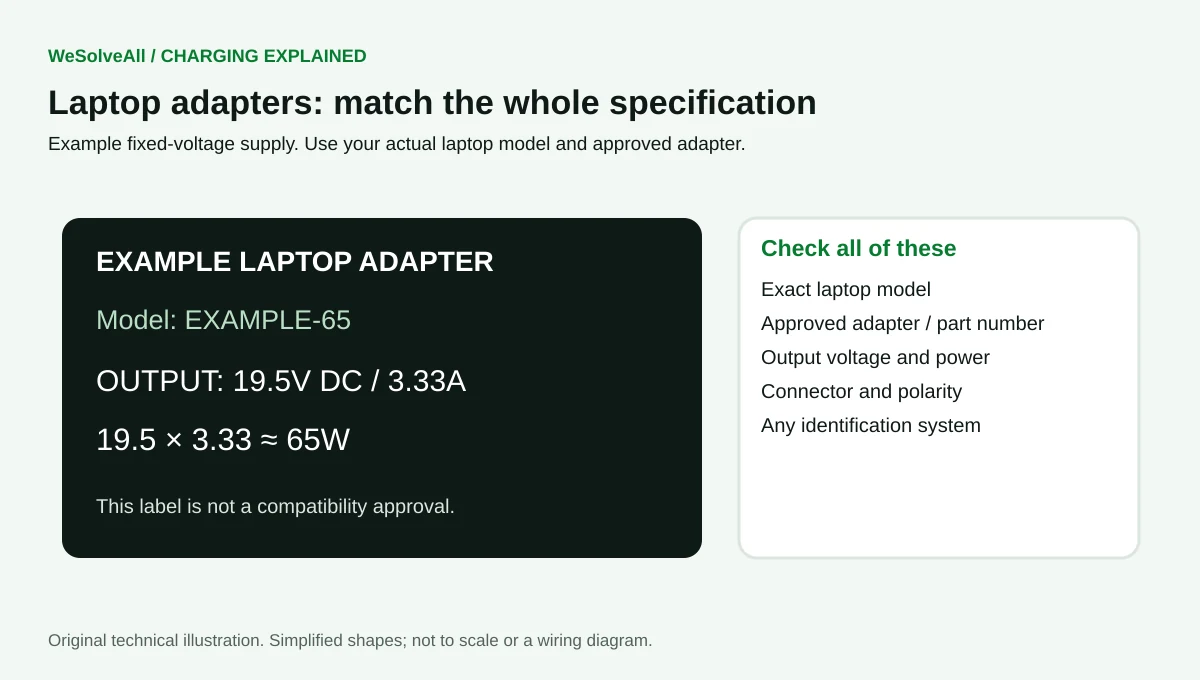
Choose a replacement laptop charger using the full laptop model and the manufacturer's power requirements. For USB-C, check that the laptop accepts charging through the chosen port. For a dedicated connector, confirm the approved adapter specification rather than buying on plug shape alone.
Start with the laptop, not a box of similar plugs
The same brand can use different charging connections and power requirements across its range. Even similar-looking laptops may have different processors, graphics hardware or recommended adapters. Find the full model or product number underneath the laptop, in its system information, or in its official support records.
If the original adapter is available, photograph its label. Keep the manufacturer's model or part number as well as the output information. The removable mains cable is another item: replacing it does not replace the power-conversion electronics inside the brick.
Can any USB-C charger charge my laptop?
No. First confirm that your laptop accepts USB-C charging and which port to use. Then check the required USB PD modes, available wattage and cable capability. Dell notes that some performance laptops support USB-C charging only under particular conditions. A USB-C connection can exist for other purposes. [19]
A small phone adapter may provide too little useful power for a laptop. A laptop might charge only while sleeping, show a low-power warning, reduce performance, or continue losing battery during demanding work. HP describes these kinds of consequences when an adapter provides insufficient power. [20]
What should I check on a barrel-plug charger?
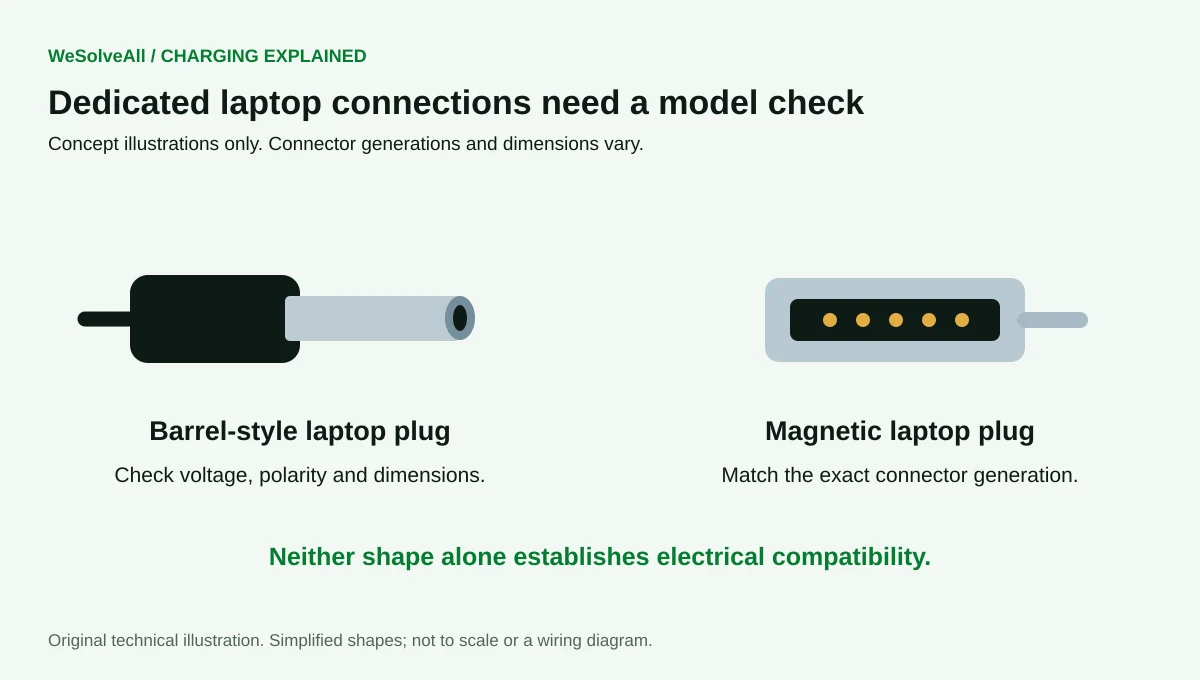
A barrel plug is the round dedicated connector used by many laptops. Other dedicated laptop inputs have different shapes. For fixed-voltage adapters, the required voltage must match, the available current and wattage must be sufficient, and the connector must be correct. HP's own selection guidance stresses matching voltage and using an adequate power rating. [21]
Polarity, inner and outer connector dimensions, and any manufacturer identification system also matter. A centre identification pin is not necessarily just an ordinary power contact. Use a manufacturer compatibility listing or exact approved replacement to settle those details. Do not test a random adapter merely because its tip slides into the socket.
How to read a laptop charger label
An illustrative label might say Output: 19.5V ⎓ 3.33A. Multiplying 19.5 by 3.33 gives approximately 65W. The straight-line DC symbol describes the output type. The line marked Input describes the electricity supplied to the adapter from the wall; it is not the voltage that should reach the laptop.
For a USB-C adapter, several output modes may be listed. Do not try to choose a single-voltage barrel adapter by copying one of those USB-C modes. They are different charging arrangements.
What about MacBooks and Surface laptops?
Apple documents recommended supplies by Mac model. USB-C-charging Macs can use suitable USB PD adapters or displays, with at least the recommended minimum power preferred for the best experience. Some models use a USB-C-to-MagSafe 3 cable; older MagSafe generations are different. Identify the generation before ordering. [22]
Microsoft Surface requirements also vary by model. Check whether yours uses Surface Connect, USB-C or both, and look up the specific charging and fast-charging requirements. The presence of a USB-A socket on some Surface power supplies is for powering other devices, not an alternative charging input for the Surface itself. [23]
How to replace a laptop charger, step by step
- Record the exact laptop model. Include the product number where available.
- Find the official compatible adapter. Record its part number, connection and power requirements.
- Compare the whole replacement. Check adapter compatibility, cable rating and the correct mains lead for your location.
- Inspect the laptop port and new leads. Stop if the socket is loose, scorched or visibly damaged.
- Connect according to the manufacturer's instructions. Keep the power brick uncovered on a firm surface.
- Check the battery indicator and any warning. A laptop powering on is not proof that it recognises the adapter correctly or charges the battery normally.
- Check under normal use. Confirm that the laptop behaves properly during the work you bought it to do, including with a dock if you use one.
Can a USB-C monitor or dock charge the laptop?
Some can. Read the power delivered to the laptop, rather than the dock's input or the rating of its separate wall adapter. A dock uses power itself and may reserve power for accessories. Also check the host cable and the correct upstream port. A “100W input” label is not automatically a 100W laptop output.
Why does it say the adapter is not recognised?
Possible causes include a damaged identification connection, an incompatible adapter, insufficient output, a faulty cable or a laptop-side problem. Use the manufacturer's diagnostics for the model. Buying a more powerful adapter without checking recognition and compatibility can leave the same warning in place.
Can I use a universal laptop charger? Only when its manufacturer explicitly lists your laptop and the required setup. “Lots of tips included” is not evidence that the electrical output and identification system are correct.
More charging help
- USB-C, USB-A, Lightning and Micro-USB: which cable is which?
- GaN and multiport chargers: one plug for a busy household
- Phone, tablet or laptop not charging? Check these things first