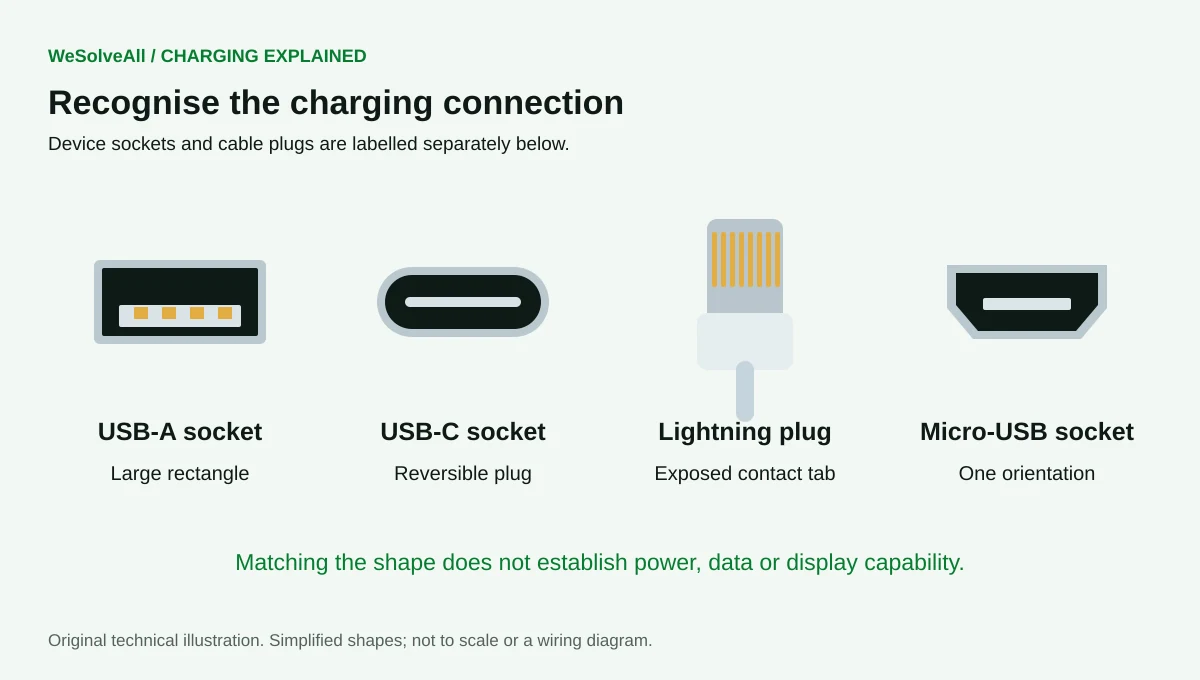
USB-C is the small rounded connection that works either way up. USB-A is the larger rectangular socket found on many older wall chargers. Lightning is Apple's older slim charging plug. Micro-USB is a small, unevenly shaped connection used by many older devices.
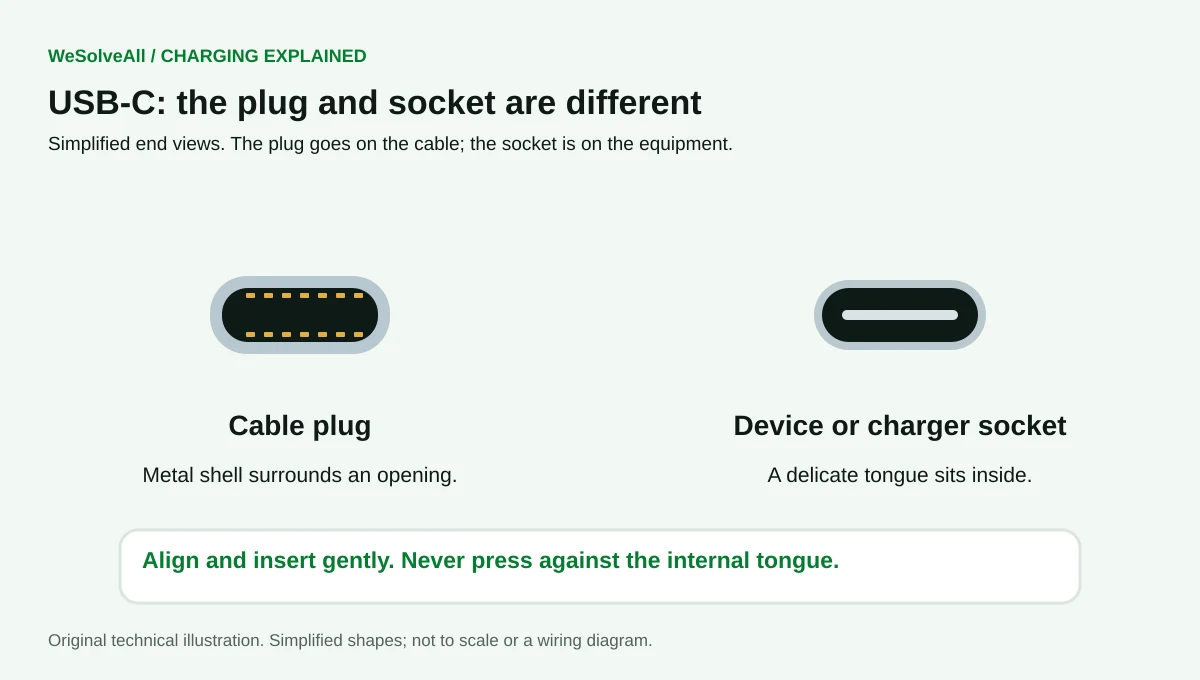
USB-C: a common shape with different abilities
You will find USB-C on phones, tablets, laptops, power banks and accessories. The connector is reversible, so you should not have to turn it over to find the right orientation. However, the shape does not tell you everything the port or cable can do. Charging, fast data transfer and connecting a display are separate capabilities. [2]
This is the reason two cables can look almost identical but behave differently. One might be perfectly suitable for charging your phone yet unsuitable for running a monitor from your laptop. Another may carry plenty of power but transfer a large video file relatively slowly.
USB-A: the familiar rectangular connection
USB-A is commonly found at the charger or computer end of older cables. A USB-A-to-USB-C cable has the large rectangular plug at one end and the small rounded plug at the other. It can still be useful for an existing charger or a car's USB socket.
Do not assume all USB-A charging is equally slow: some manufacturer-specific fast-charging systems use it. Equally, a USB-A socket does not become a modern USB-C Power Delivery output because you add a small adapter. The power source still needs to support the required charging method.
Lightning: check the actual Apple device
Many older iPhones and some older iPads use Lightning. iPhone 15 and later models use USB-C. Apple has changed tablet connections across generations, so the name “iPad” alone is not enough to choose a cable. [3]
A USB-C-to-Lightning cable connects a Lightning device to a USB-C adapter. A USB-A-to-Lightning cable connects it to a USB-A adapter. The device end may be the same, but the charger end is different. For an eligible Lightning iPhone's wired fast charging, the USB-C version matters. [4]
Micro-USB and older connections
Micro-USB appears on many older Android phones, tablets, headphones and accessories. Its shape is not symmetrical: align it correctly and never force it. Mini-USB, seen on some older cameras and equipment, is a different, chunkier connection. Very old Apple devices may use the broad 30-pin Dock connector. Check before ordering a replacement for a device that has been in a drawer for years.
How to choose the cable, step by step
- Identify both ends. Write the connection as “USB-C to USB-C” or “USB-A to Micro-USB”, rather than simply “phone cable”.
- Decide what you need it to do. Charging only, charging plus file transfer, or charging plus a display are different shopping requirements.
- Check the required power and current. A laptop cable may need a higher power rating; some phone charging modes also need a particular current rating or brand-specific cable.
- Choose a practical length. Allow enough reach without leaving the device hanging from its charging port. A braided cover can help with wear, but does not prove electrical capability.
- Check the stated specification. A description should say what the cable supports, rather than just “premium” or “superfast”.
- Connect without force. If a correctly identified plug will not seat, remove the case and inspect for obstruction or damage before trying again.
What do 60W, 100W and 240W mean on a cable?
They describe a supported power limit, not the amount your device will always receive. USB-IF's current certified USB-C cable markings distinguish 60W and 240W power capability. You will also see existing cables advertised at 100W. Higher-power charging needs appropriate cable electronics as well as suitable conductors. The power marking does not tell you the cable's data speed. [5]
For a charger delivering more than 60W through a detachable standard USB-C cable, choose a suitable electronically marked 5A cable. For USB PD Extended Power Range above 100W, use an EPR-rated cable and compatible equipment. Some phone charging modes need a 5A cable even below 60W because of the voltage and current they use. [6], [7]
Will an expensive cable make my battery last longer?
A high price or thick jacket does not establish that. Buy for verified compatibility, build quality and a useful length. Paying for very fast data transfer makes sense if you move large files; it may add little value to a cable that only charges a phone beside a chair.
More charging help
- Phone and tablet fast charging: watts, PD and PPS explained
- How to choose a replacement laptop charger without guessing
- Charging port problems: loose sockets, lint, damage and repair