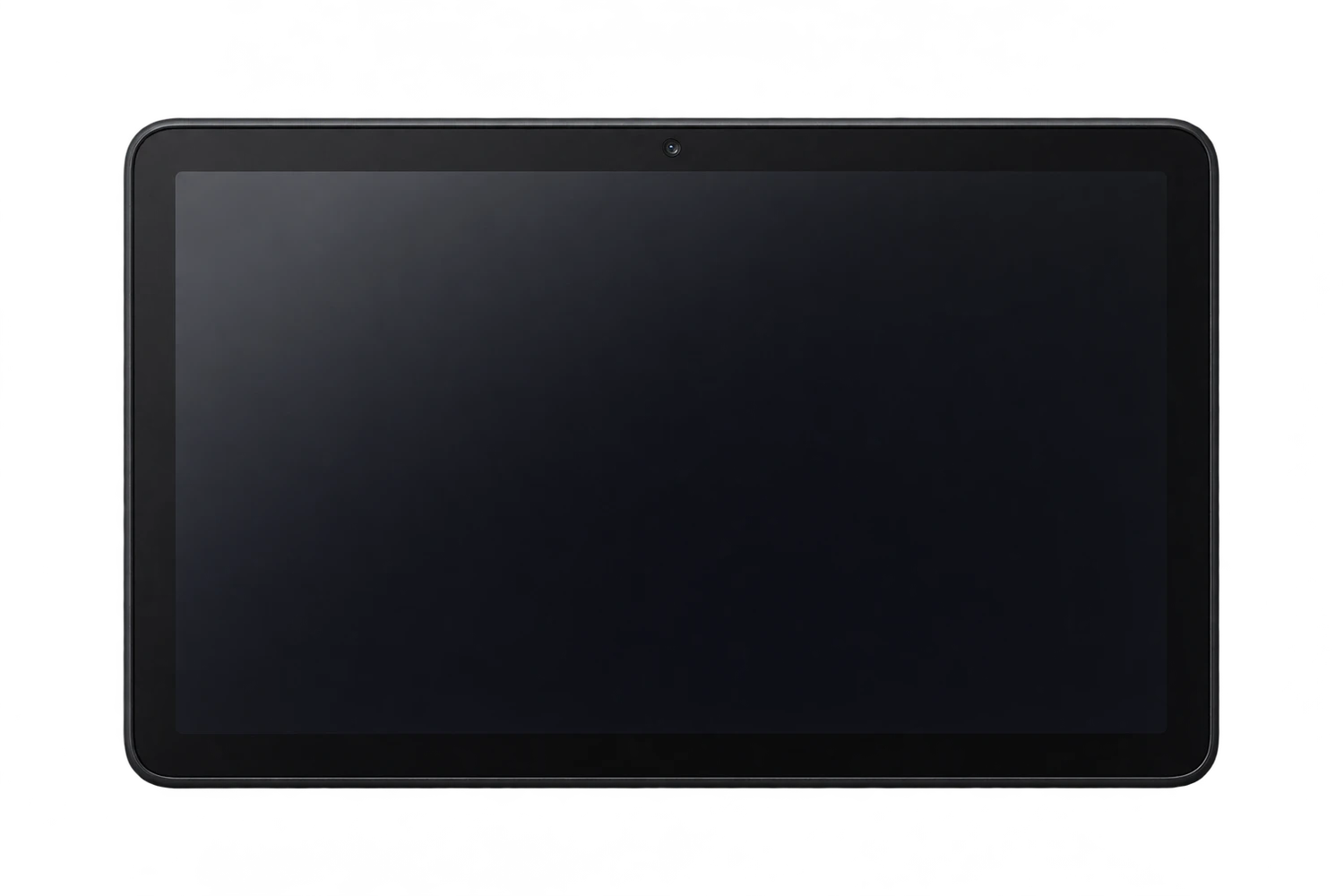
Fire HD 10 (2023) model numbers
A model number identifies the model or hardware version and is shared by many devices. Serial numbers and mobile-network identifiers such as IMEI or MEID belong to an individual device.
Where to find your model number
- Open Settings, then Device Options, and look for Device Model or About Fire Tablet; wording varies by software version.
- Record the complete name and generation, then check regulatory information or the original box for the hardware model number.
- Compare the year and model references with this guide. A serial number identifies an individual unit and should not be posted publicly.
If the tablet will not turn on: Check the original box, order record or visible exterior model label. Use the generation and year as well as the product name; do not open a sealed tablet just to identify it.
Hardware model numbers, where verified, are labelled separately from Amazon’s software Build.MODEL identifiers. A software identifier is not a UK-specific approval number and can be reused across versions.
Swipe the table sideways on a narrow screen.
| Model number | Version or region | Useful detail |
|---|---|---|
| TG425K | Regulatory hardware model; listed by Amazon for this device family, not a country-exclusive code | Match this code to the number on your tablet. |
| KFTUWI | Amazon Android software Build.MODEL identifier | Match this code to the number on your tablet. |
3 recorded colours
Recorded tablet finishes, including later additions where stated. Protective Kids cases and other accessories are separate colours; replacement housings can change appearance.
- Black
Approximate colour hint. Lighting, wear, a case or a replacement housing can alter the visible appearance.
- Ocean
Approximate colour hint. Lighting, wear, a case or a replacement housing can alter the visible appearance.
- Lilac
Approximate colour hint. Lighting, wear, a case or a replacement housing can alter the visible appearance.
Use the colour and the model number together. Lighting, screen settings, cases and replacement backs can change how a device looks.
Getting to know the Fire HD 10 (2023)
Identifying this generation
The display is 1920 × 1200 and storage is 32GB or 64GB, expandable with microSD up to 1TB. Compared with the standard 2021 HD 10, the front camera rises from 2MP to 5MP. Kids and Kids Pro packages use this same 2023 tablet hardware with different protective cases.
Storage and connections
Charging and the wired connection use USB-C. The recorded storage options are 32GB or 64GB. Expansion is listed as microSD up to 1 TB. This is a Wi-Fi tablet, without a cellular SIM connection.
Checks before a repair
When pen input fails, record whether finger touch still works and which stylus is being used. Check the front and rear 5MP cameras independently. A Kids case can obscure the physical label, so use device information or the original order to confirm the thirteenth generation.
Specifications and what they mean
Read each specification alongside its explanation. Manufacturer test figures describe controlled conditions; age, usage and battery condition affect everyday performance.
Swipe the table sideways on a narrow screen.
| Feature | Fire HD 10 (2023) | What it means |
|---|---|---|
| Introduced | 2023 | The model or generation introduction year; regional shipping dates can differ. |
| Amazon generation | 13th Gen | Amazon’s generation number must be read with the release year; it is not the display size. |
| Screen | 10.1-inch IPS LCD | The diagonal and panel type describe the display; the exact model still determines replacement-part fit. |
| Resolution | 1920 × 1200 pixels | The display pixel grid. Similar dimensions do not guarantee a compatible replacement screen. |
| Processor | Mediatek MT8186A | The main chip specification helps distinguish generations; it does not establish spare-part compatibility. |
| Memory (RAM) | 3GB | Working memory is separate from the storage used for apps, photos and files. |
| Rear camera | 5 MP | The original rear-camera configuration. Check the actual camera module when a device has been repaired or upgraded. |
| Front camera | 5 MP | The camera used for selfies or video calls; it is separate from the rear camera. |
| Storage | 32GB or 64GB | Factory storage options. Usable space is lower, and offered colour/capacity combinations can vary. |
| Memory card | microSD up to 1 TB | Removable storage is separate from internal storage. Card format and software affect how it can be used. |
| Wired connection | USB-C | The physical connector. Charging performance also depends on the cable, power supply and device condition. |
| Mobile connection | Wi-Fi only; no cellular SIM connection | A cellular-capable version still depends on compatible local networks, radio bands and operator provisioning. |
| Bluetooth | 5.3 LE | The listed Bluetooth capability is independent of the Wi-Fi or cellular connection. |
| Software family | Fire OS 8 | A recorded operating-system family, not a promise of current app compatibility or future updates. |
Software and service compatibility
Amazon’s device specification lists Fire OS 8 for this generation. That is a platform reference, not a guarantee that every current app or service supports it. Check the tablet’s own update settings and the requirements of any app you need; a factory reset does not turn an older model into a newer generation.
Common questions about the Fire HD 10 (2023)
How do I identify Fire HD 10 (2023)?
Check the complete model name and generation in Settings, then compare the identifiers: TG425K, KFTUWI. Hardware and software references are labelled separately in this guide.
Are Fire HD 10 Kids and Kids Pro different 2023 tablet hardware?
Amazon’s regulatory information groups the 2023 Fire HD 10, Kids and Kids Pro under TG425K. Their cases and packages differ. Match the 2023 generation and hardware code when identifying the tablet inside, rather than the colour of its protective case.
How does Fire HD 10 (2023) charge?
It uses USB-C. Use a compatible power supply and cable. Note whether charging fails completely or becomes intermittent; avoid forcing or levering the connector.
What software information should I check before a repair?
Amazon’s device specification lists Fire OS 8 for this generation. That is a platform reference, not a guarantee that every current app or service supports it. Check the tablet’s own update settings and the requirements of any app you need; a factory reset does not turn an older model into a newer generation.
About this guide
Device details checked 21 November 2026. Regional features, software availability and colours can vary. Pictures are visual guides; colours and small details are approximate.