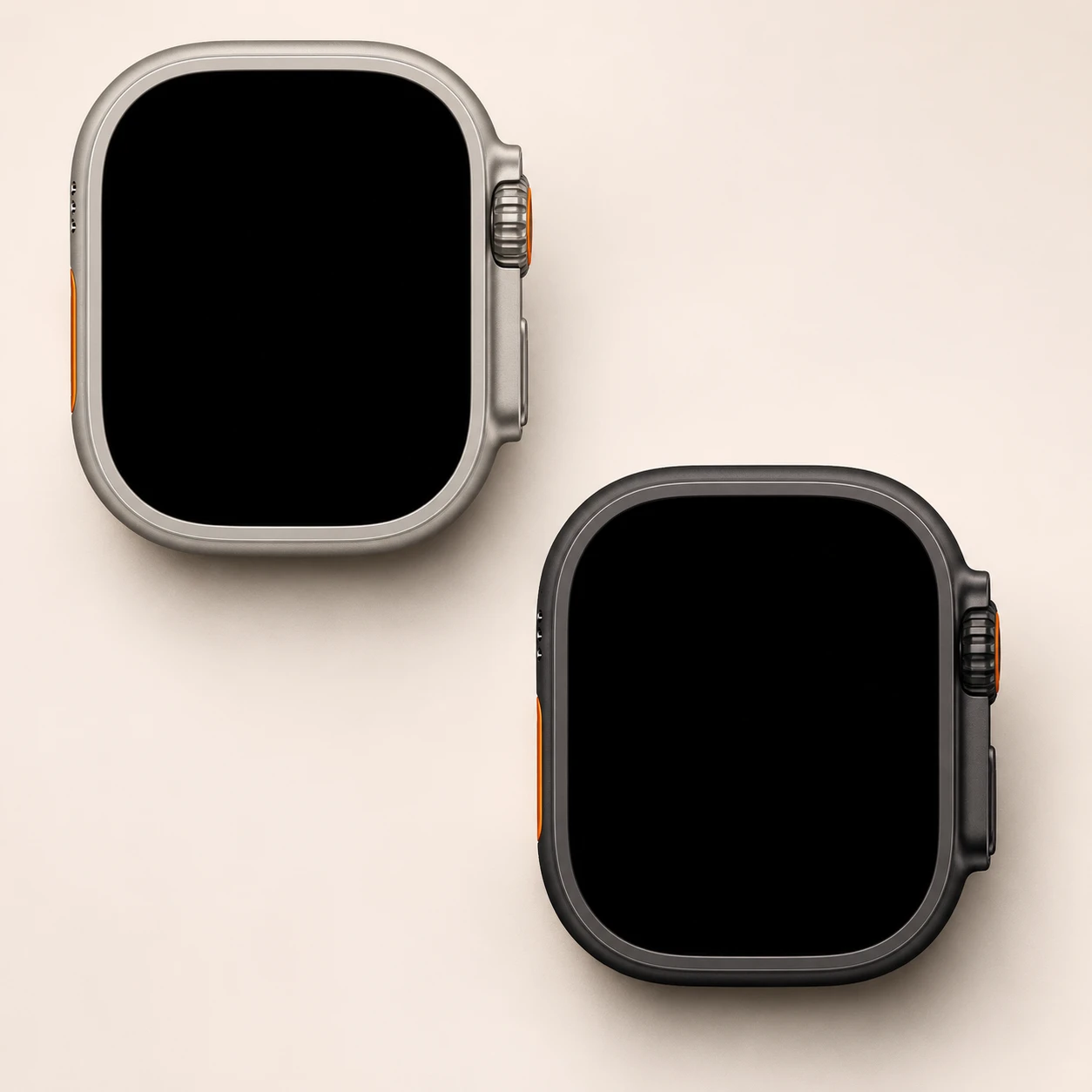
Watch Ultra 2 model numbers
A model number identifies the model or hardware version and is shared by many devices. Serial numbers and mobile-network identifiers such as IMEI or MEID belong to an individual device.
Where to find your model number
- On the paired iPhone, open the Watch app and choose My Watch → General → About.
- Tap Model Number so the M-prefixed sales part number changes to the A-prefixed hardware number.
- Compare the full A-number and read the case size and material engraving on the watch back. Keep the individual serial number separate.
If the watch will not turn on: Check the original box or purchase record and the watch’s rear case engraving for generation, size and material. The serial number is not the model number; do not open the sealed watch just to identify it.
A-numbers verified against Apple’s identification guide. Entries distinguish case size, GPS/cellular hardware and listed markets. One A-number can span several case materials or branded editions; also check the engraving.
Swipe the table sideways on a narrow screen.
| Model number | Case size or version | Useful detail |
|---|---|---|
| A2986 | 49mm • GPS + Cellular • North America, Europe, Asia Pacific | Match this code to the number on your watch. |
| A2987 | 49mm • GPS + Cellular • China mainland | Match this code to the number on your watch. |
The M-prefixed part number describes a sales configuration. The A-number identifies a hardware variant, while the serial number identifies one watch. A different strap does not change the A-number.
2 recorded colours
Original case finishes for this material and generation; interchangeable band colours are not case colours.
- Natural Titanium
Approximate on-screen case swatch; band colour, lighting, wear and replacement housings can change appearance.
- Black
Approximate on-screen case swatch; band colour, lighting, wear and replacement housings can change appearance.
Use the colour and the model number together. Lighting, screen settings, cases and replacement backs can change how a device looks.
Getting to know the Watch Ultra 2
What identifies this generation
Ultra 2 combines the 49mm titanium design with the S9 chip, 64GB storage and a 3,000-nit display. Its Natural and later Black finishes belong to the same model generation. The double-tap gesture and second-generation Ultra Wideband hardware are further differences from the first Ultra.
Case, glass and original finishes
This guide covers the titanium version in the 49mm case size. The front cover is sapphire crystal, with a ceramic or ceramic-and-sapphire sensor back. Case finishes are listed separately from straps, which can be changed. The A-number identifies the size and radio hardware, but can be shared across case materials; also read the back engraving before choosing a screen or housing.
Charging and mobile connections
This generation supports fast charging, with Apple quoting roughly 60 minutes from an empty battery to 80% under its test conditions. Use a compatible Apple Watch USB-C magnetic fast-charge cable and suitable USB-PD adapter. A USB-C plug alone does not establish that a charging puck supports the faster mode. Available connection versions are gps + cellular. Cellular service needs a compatible local network plan and the correct regional hardware; the presence of a modem does not include a subscription.
iPhone pairing and software
Apple’s generation compatibility table records iPhone XS or later with iOS 17 or later. That is a baseline for this generation, not a guarantee for every later watchOS installation. Check both the watchOS version and iPhone software before resetting or buying a used watch. Apple lists Ultra 2 as compatible with watchOS 27. That update requires iPhone 11 or later, or iPhone SE (2nd generation or later), with iOS 27.
Checks before and after a repair
Before and after a repair, record the display image and touch response, Crown rotation and press, side button, speaker, microphone, charging and pairing; also test the separate Action button. Inspect the sensor cover and strap-release mechanisms, and distinguish a dim Always-On screen from missing pixels or failed touch input. Confirm the backup and account handover arrangements before a reset. Opening a watch can affect its seals, so the original water rating does not establish its condition after repair.
Specifications and what they mean
Read each specification alongside its explanation. Manufacturer test figures describe controlled conditions; age, usage and battery condition affect everyday performance.
Swipe the table sideways on a narrow screen.
| Feature | Watch Ultra 2 | What it means |
|---|---|---|
| Introduced | 2023 | The generation’s first release year; later case finishes can have a different introduction date. |
| Case sizes | 49mm | Case size is not the screen diagonal. Match the size, generation and material together. |
| Case material | Titanium | The model number can be shared by more than one material. Check the case engraving as well. |
| Body dimensions | 49mm version: 49 × 44 × 12 mm | Height × width × depth, excluding a strap; use the entry for the exact case version. |
| Display | Always-On Retina LTPO2 OLED | Always-On means a supported watch face can remain dimly visible between interactions; settings can switch it off. |
| Resolution | 49mm: 410 × 502 pixels | Pixel dimensions vary with case size and do not establish screen-part compatibility. |
| Front cover | Sapphire crystal | This describes the original cover material for the case family; replacement parts may differ. |
| Published brightness | 3,000 nits maximum; 1 nit minimum | The stated brightness is a display specification, not a measurement of a worn or repaired screen. |
| Processor | Apple S9 dual-core | The system-in-package identifies the processing generation; it is not a user-upgradable part. |
| Storage | 64GB | Built-in capacity before the operating system, apps and media; these watches do not accept a memory card. |
| Wi-Fi and Bluetooth | 2.4GHz and 5GHz 802.11n; Bluetooth 5.3 | Pairing and network functions also depend on phone software and service availability. |
| Connection versions | GPS + Cellular | GPS + Cellular identifies modem-equipped hardware. A compatible operator and plan are needed for mobile service. |
| Mobile network | LTE/UMTS on cellular models | Check regional radio hardware and network support, especially for imported watches. |
| Charging | Magnetic charging; fast-charge capable (about 0–80% in 60 minutes under Apple test conditions) | Charging speed depends on the puck, adapter, temperature, battery level and use; it is not guaranteed after repair. |
| Published battery life | Up to 36 hours in Apple’s normal-use test | A new-device test result, not a forecast for an older battery or a continuous workout. |
| Sensor hardware | Electrical and optical heart sensors; temperature and blood-oxygen sensor hardware; depth and water-temperature sensors; compass; altimeter | Presence of hardware does not guarantee every related app or feature in every region. |
| Original protection rating | 100m water-resistance rating; IP6X dust rating | Ratings describe tested new hardware. Wear, damage and opening the case can reduce protection. |
| Software at introduction | watchOS 10 | The installed version may be newer. See the compatibility note before pairing or resetting. |
| Pairing baseline | iPhone XS or later with iOS 17 or later | Apple’s generation table; later watchOS versions can require a newer iPhone and iOS. |
Software and service compatibility
Apple lists Ultra 2 as compatible with watchOS 27. That update requires iPhone 11 or later, or iPhone SE (2nd generation or later), with iOS 27. Compatibility checked on 21 November 2026; availability of a software version is separate from a repair warranty.
Common questions about the Watch Ultra 2
How do I identify my Watch Ultra 2?
In the iPhone Watch app, open My Watch → General → About and tap Model Number to switch the M-prefixed part number to the A-prefixed hardware number. The references for this guide are A2986, A2987. Match the case size and material engraving too.
Does this Watch Ultra 2 have an Always-On display?
Yes. This generation supports an Always-On display, although settings and modes can turn it off. A dim watch face at rest is different from failed pixels, a cracked cover or unresponsive touch.
Which iPhone can pair with this watch?
Apple’s generation compatibility table records iPhone XS or later with iOS 17 or later. That is a baseline for this generation, not a guarantee for every later watchOS installation. Check both the watchOS version and iPhone software before resetting or buying a used watch. Apple lists Ultra 2 as compatible with watchOS 27. That update requires iPhone 11 or later, or iPhone SE (2nd generation or later), with iOS 27.
Which case colours belong to this model?
The case finishes recorded here are Natural Titanium, Black. Straps are replaceable, so strap colour does not identify the case or its hardware model. Hermès editions are distinguished by their branding and available finish; a Hermès strap fitted later does not make a standard watch a Hermès edition.
Does the original water-resistance rating still apply after repair?
The original rating describes the design when tested as new. Damage, ageing seals or opening the case can change its resistance to liquid. Ask the repairer what sealing work and checks were completed before using the watch around water. A working display does not prove that the case is sealed.
About this guide
Device details checked 21 November 2026. Regional features, software availability and colours can vary. Pictures are visual guides; colours and small details are approximate.