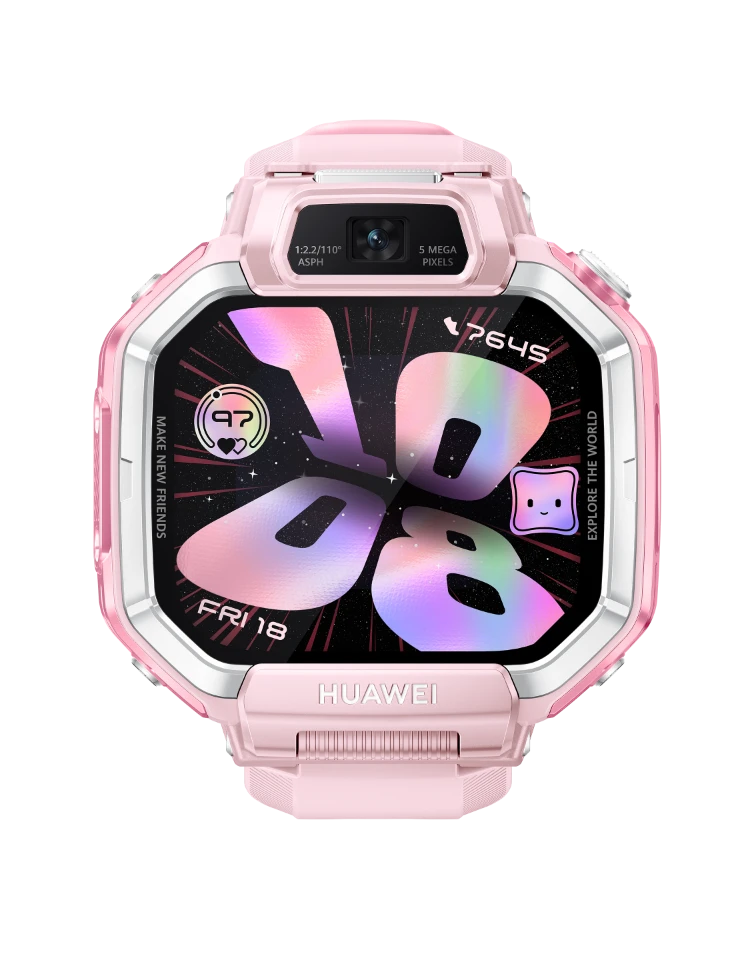
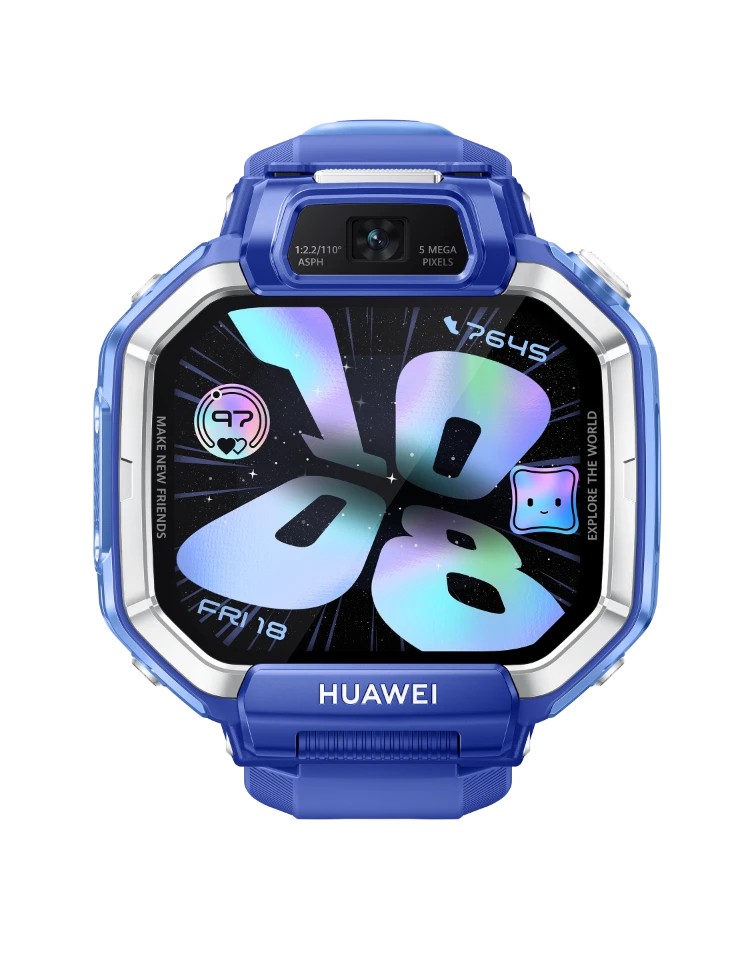
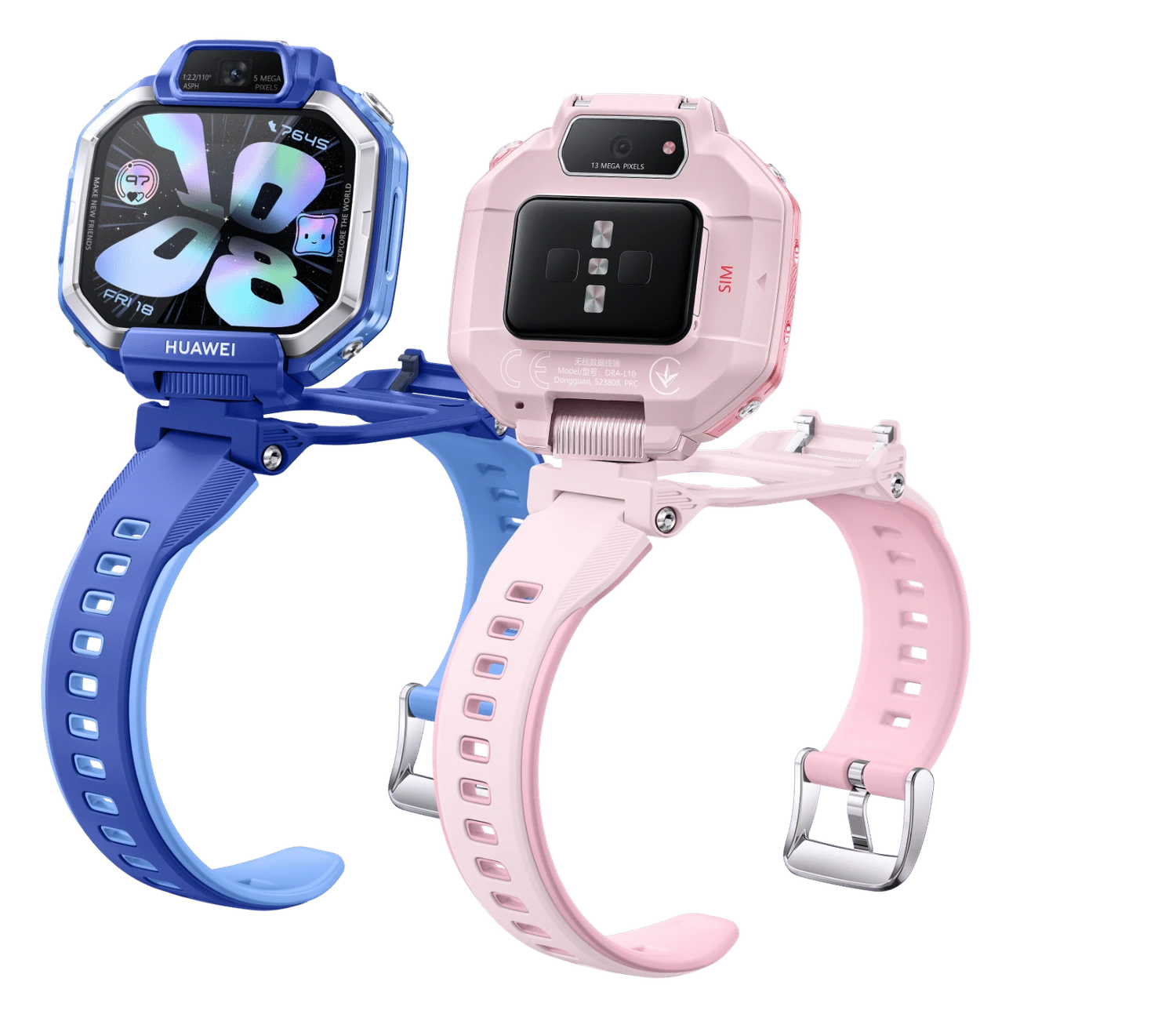
Watch Kids X1 model reference
A model reference identifies the recorded model. The complete marking on a device can include an additional hardware prefix or regional suffix. Serial numbers and mobile-network identifiers such as IMEI or MEID belong to an individual device.
Where to find your model reference
- Read the model marking on the watch back or its original box label.
- If it powers on, open the device-information or About screen; the paired app can also show the product details.
- Match the full model code, case size and connection version before choosing parts.
If the watch will not turn on: Read the external model marking or original packaging under good light. Keep serial numbers separate; do not open a sealed device merely to identify it.
A complete hardware code was not confirmed; the product-name reference is labelled accordingly.
Swipe the table sideways on a narrow screen.
| Model reference | Reference scope | Useful detail |
|---|---|---|
| Watch Kids X1 | Product-name reference; complete hardware code unconfirmed | This is the product reference, not a confirmed regulatory model code. |
A model number identifies a hardware version. A serial number identifies one unit; sales codes can also include capacity, finish and destination market.
2 recorded colours
Recorded original finishes or case-and-band combinations; interchangeable replacement bands are not separate hardware models.
- Pink
Approximate swatch. Original case/band pairings and availability vary by market and size.
- Blue
Approximate swatch. Original case/band pairings and availability vary by market and size.
Use the colour and the model reference together. Lighting, screen settings, cases and replacement backs can change how a device looks.
Getting to know the Watch Kids X1
Identify the case as well as the name
The standard X1 has 32GB storage and a silicone strap; the Pro has a different storage and strap configuration. Both use a 1.82-inch display and front/rear cameras. Identify the exact version before selecting its case, strap fittings or charging cable.
Charging and connection checks
The charging specification is Pogo-pin charging; 5 V / 2 A supply. This family includes a recorded mobile-network connection; confirm the exact radio version and your network’s service support. Before repair, note whether charging, button presses, touch input and pairing work.
Inspect the back and strap fittings
Check the sensor cover, charging surface and strap lugs for visible damage. Where the model has multiple case sizes, compare the complete code before ordering parts. For a repaired watch, have the seal and water-resistance condition assessed; an original rating is not proof of its present condition.
Specifications and what they mean
Read each specification alongside its explanation. Manufacturer test figures describe controlled conditions; age, usage and battery condition affect everyday performance.
Swipe the table sideways on a narrow screen.
| Feature | Watch Kids X1 | What it means |
|---|---|---|
| Introduced | 2026 | This is the introduction year for the model. Regional releases and later finishes may have different dates. |
| Display | 1.82-inch AMOLED | The diagonal describes the screen, not the outer body. Case sizes and display sizes are different measurements. |
| Resolution | 480 × 408 pixels | Pixel dimensions describe the detail on the screen. |
| Storage and memory | 32GB storage, 2GB RAM | Storage holds apps and files; RAM is working memory. Available capacities can differ by market. |
| Body size | 47.4 × 41.1 × 13.4 mm | Dimensions describe the listed case version; other watch sizes can differ. |
| Weight | 70 g including strap | Listed device weight. A strap, protective case or keyboard can change the total. |
| Charging | Pogo-pin charging; 5 V / 2 A supply | Use a compatible charger and cable intended for this model; similar-looking charging fittings are not a compatibility guarantee. |
| Bluetooth | Supported | Bluetooth links compatible accessories or a paired phone. Features depend on both devices and their software. |
| Wi-Fi | Supported | A Wi-Fi connection does not require a mobile-data SIM. |
| Mobile network | GSM / WCDMA / LTE; supported bands vary by region | Mobile data needs matching hardware and an available network service. A Wi-Fi or Bluetooth-only device cannot gain cellular hardware through an update. |
| SIM provision | SIM-equipped model | This describes the recorded hardware provision, not an active mobile plan. |
Software and service compatibility
This Watch Kids model uses Huawei FamCare with a parent or guardian account. Account region, watch region and supported mobile service must match. Check the current FamCare requirements before changing phones. A historical software version is not a promise of ongoing security updates.
Common questions about the Watch Kids X1
How can I identify the Watch Kids X1?
The verified reference here is the product name; a complete hardware code has not been confirmed. Also compare the case size and controls. A replacement strap is not a reliable identifier.
Which charger does the Watch Kids X1 use?
The recorded charging method is Pogo-pin charging; 5 V / 2 A supply. Check the contact alignment and keep the charging surface clean and dry.
Can the Watch Kids X1 connect to a mobile network?
The recorded family includes cellular hardware. Confirm the full model code and SIM or eSIM details, then check network support in the intended country.
Will the Watch Kids X1 pair with my phone?
This Watch Kids model uses Huawei FamCare with a parent or guardian account. Account region, watch region and supported mobile service must match. Check the current FamCare requirements before changing phones.
What should a guardian check before servicing the Watch Kids X1?
Keep the guardian account available and back up permitted data before service. Record whether charging, the camera, microphone, speaker and mobile connection work. Ask what data will be affected before approving a reset; an account association and a hardware fault need different checks.
About this guide
Device details checked 21 November 2026. Regional features, software availability and colours can vary. Pictures are visual guides; colours and small details are approximate.