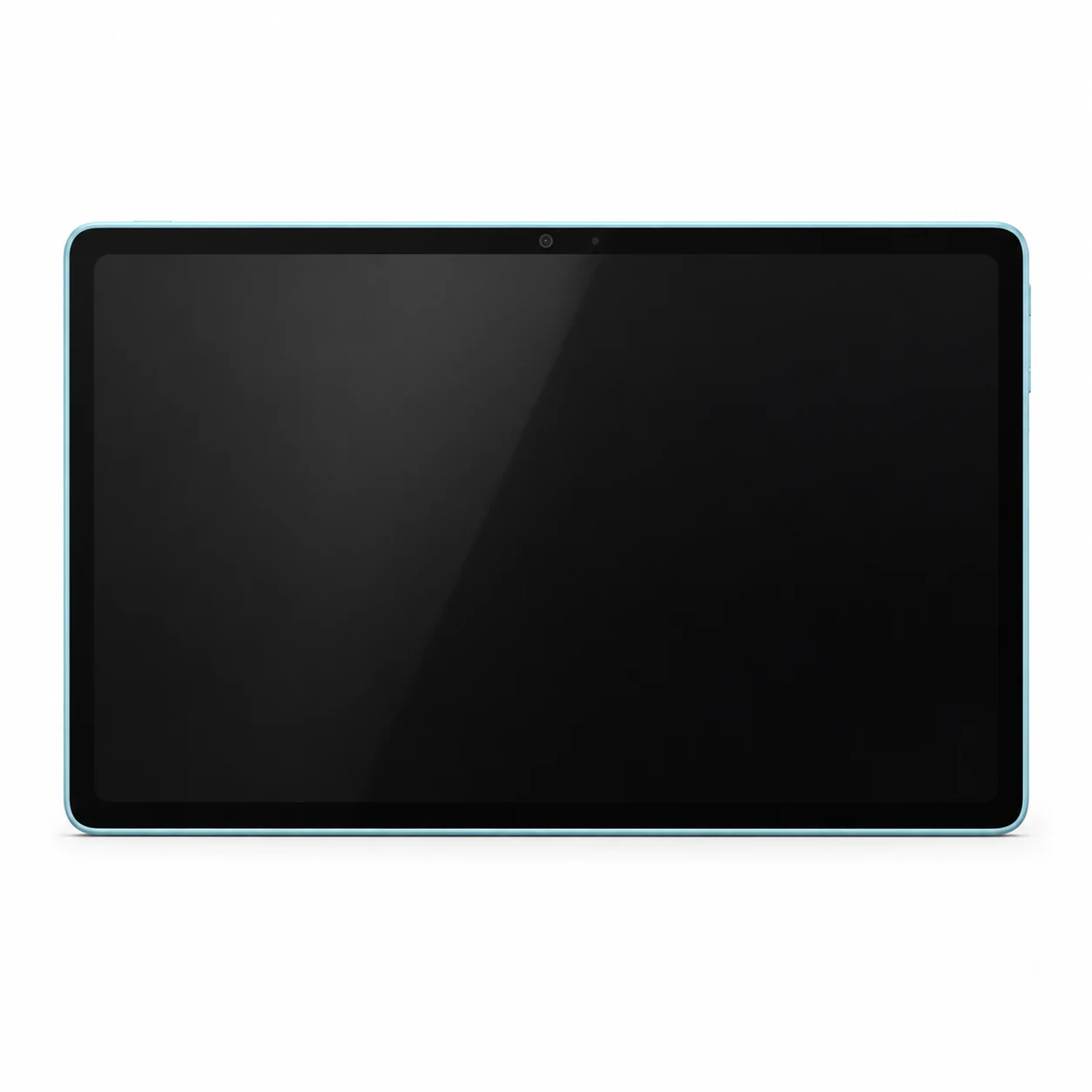
Moto Pad 70 model numbers
A model number identifies the model or hardware version and is shared by many devices. Serial numbers and mobile-network identifiers such as IMEI or MEID belong to an individual device.
Where to find your model number
- Open Settings → About tablet and record the full model name or model number. Menu wording varies with Android version.
- Check the rear label, original box or purchase record and retain every suffix in the model number.
- Record the screen size, storage and whether there is a SIM slot. A serial number or IMEI is a unique device identifier, not a replacement for the model code.
If the tablet will not turn on: Check the rear label, original box or purchase record. Do not remove a bonded rear cover merely to identify the tablet. Photograph the full model marking for the repairer and keep serial numbers and IMEIs private.
Full hardware codes are retained. Imported devices may use a different regional version; a listed code does not establish current UK or Irish network compatibility.
Swipe the table sideways on a narrow screen.
| Model number | Version or region | Useful detail |
|---|---|---|
| XT2673-1 | Pad 70 hardware version; confirm connectivity on the unit | Match the complete model marking. This is not the unique serial number of an individual device. |
| XT2673-2 | Pad 70 hardware version; confirm connectivity on the unit | Match the complete model marking. This is not the unique serial number of an individual device. |
A retail SKU can describe storage, colour or an accessory bundle. It is distinct from a hardware model number, serial number or IMEI.
Original finish
Original body finishes, with approximate on-screen swatches. Colour does not identify storage, network hardware or replacement-part compatibility.
- PANTONE Sea Angel
Original case finish; availability varied by market. The swatch is approximate.
Use the colour and the model number together. Lighting, screen settings, cases and replacement backs can change how a device looks.
Getting to know the Moto Pad 70
Display, body and identification
Motorola describes the screen as a 12-inch 2.5K LCD with 90Hz refresh. Its specification lists a 278.8 × 181.1 mm body, 6.3 mm thick for Wi-Fi and 6.5 mm for 5G, with an approximate 530 g headline weight. Retain the network version when comparing a housing or accessory.
Power, connections and everyday use
The manufacturer lists 8GB RAM, 128GB or 256GB storage, a microSD slot and a 10,200mAh typical battery. The included adapter is rated at 68W; that is not a verified claim that the tablet itself draws 68W. Compare USB-C cable, adapter and device behaviour separately when checking slow charging.
Checks before a repair
Check whether the tablet starts, shows an image, responds to touch and charges using compatible equipment. Test the whole touch surface, front and rear cameras, speakers and the USB-C socket. Try a known compatible charger and cable before treating a charging fault as a failed battery. Record the model marking and fault before requesting a screen, battery or connector repair.
Specifications and what they mean
Read each specification alongside its explanation. Manufacturer test figures describe controlled conditions; age, usage and battery condition affect everyday performance.
Swipe the table sideways on a narrow screen.
| Feature | Moto Pad 70 | What it means |
|---|---|---|
| Introduced | 2026 | The hardware generation's introduction year; a later purchase date does not identify a different model. |
| Screen | 12-inch 2.5K LCD, 90Hz | Panel size and technology help distinguish the device. The diagonal alone is not enough to choose a replacement screen. |
| Resolution | 2560 × 1600 pixels | The number of display pixels. Match the complete model and display assembly when checking a repair part. |
| Processor | Mediatek Dimensity 6400 (6 nm) | The main chipset identifies the hardware platform. A similarly named model can use a different board and software. |
| Storage and RAM | 128GB 8GB RAM, 256GB 8GB RAM | Storage holds apps and files; RAM is working memory. Available storage is lower, and regional configurations can differ. |
| Launch software | Android 16 | The software supplied at introduction, not a promise of the latest installed version or continuing update support. |
| Dimensions | 278.8 × 181.1 mm; 6.3 mm Wi-Fi / 6.5 mm 5G | The published body measurements help separate sizes and generations; screen diagonal and strap width are different measurements. |
| Weight | Approximately 530 g; confirm the particular network version | An original published weight. Watch bands, cases and other accessories can change the weight of the device in hand. |
| Materials | Glass front, aluminum frame, aluminum back | Published case construction helps identify the device, but does not establish the condition or originality of a replacement housing. |
| Battery | 10,200mAh typical | Original nominal or typical capacity where stated. Age, use and battery condition affect actual running time. |
| Charging | 68W power adapter included; device maximum charging draw not verified | Use compatible charging equipment for this model. Adapter output, device charging capability and actual charging speed are different figures. |
| Connections | USB Type-C 2.0 | The physical connector must match. USB shape alone does not guarantee video output, accessory compatibility or charging speed. |
| Memory card | microSD, up to 2TB exFAT | Removable storage is separate from built-in storage. Check the device's supported card format and capacity before purchase. |
| Mobile connection | Wi-Fi and 5G versions; match the device label | Check the exact regional hardware and a network's current service before relying on a SIM or cellular feature. |
| Bluetooth | 5.2, A2DP, LE | Bluetooth connects nearby devices. It does not by itself provide a mobile-data connection or confirm support for phone calls. |
| Wi-Fi | Wi-Fi 802.11 a/b/g/n/ac, dual-band, Wi-Fi Direct | The listed radio standard describes the original hardware; router settings and software compatibility also affect connection. |
| Rear camera | 13 MP | The rear camera specification is separate from the front camera. Test focus, the image and any flash separately when reporting a fault. |
| Front camera | 8 MP | Used for video calls and self-facing images. Check both picture quality and the microphone during a test call. |
Software and service compatibility
Check the installed Android version, security-patch date and the manufacturer's update information for the complete model code. A launch version or update allowance does not establish which updates have reached an imported device. Confirm that the apps and accessories you need still support the installed software.
Common questions about the Moto Pad 70
How do I identify Motorola Moto Pad 70?
Look in Settings → About tablet and compare the full model marking with the rear label or original box. Motorola/Lenovo lists XT2673-1 and XT2673-2. Verify the network version on the actual device rather than assigning a code to Wi-Fi or 5G without its label.
Does the included 68W adapter prove Pad 70 charges at 68W?
No. Motorola describes a 68W adapter in the box. An adapter's maximum output and the tablet's accepted charging power are different specifications, so this guide does not label the device as 68W charging.
What should I check before repairing Motorola Moto Pad 70?
Check whether the tablet starts, shows an image, responds to touch and charges using compatible equipment. Test the whole touch surface, front and rear cameras, speakers and the USB-C socket. Try a known compatible charger and cable before treating a charging fault as a failed battery. Record the model marking and fault before requesting a screen, battery or connector repair.
What should I check about software on Motorola Moto Pad 70?
Check the installed Android version, security-patch date and the manufacturer's update information for the complete model code. A launch version or update allowance does not establish which updates have reached an imported device. Confirm that the apps and accessories you need still support the installed software.
About this guide
Device details checked 22 November 2026. Regional features, software availability and colours can vary. Pictures are visual guides; colours and small details are approximate.