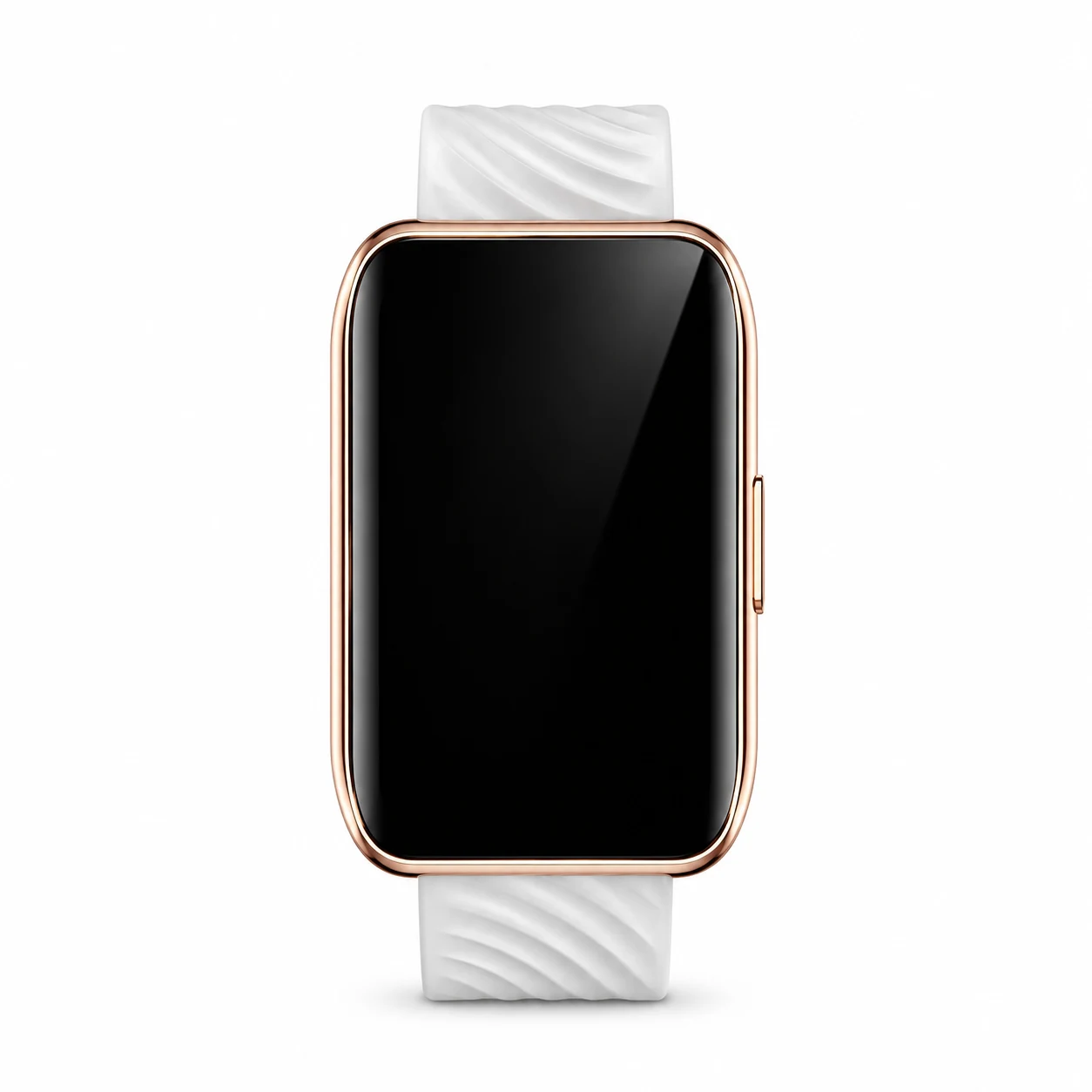
Moto Watch 40 model numbers
A model number identifies the model or hardware version and is shared by many devices. Serial numbers and mobile-network identifiers such as IMEI or MEID belong to an individual device.
Where to find your model number
- On the watch, open Settings and look for About, System or regulatory information; record the complete model name and any hardware code shown.
- Compare the case size, button layout and charging contacts with this guide, then check the original box or purchase record.
- Keep a serial number, Bluetooth address or cellular IMEI private; these identify an individual watch rather than its model.
If the watch will not turn on: Check the visible rear or case markings, original box and purchase record without opening the watch. Record the case and charging arrangement; a replacement band or watch face can change its appearance.
Full hardware codes are retained. Imported devices may use a different regional version; a listed code does not establish current UK or Irish network compatibility.
Swipe the table sideways on a narrow screen.
| Model number | Case size or version | Useful detail |
|---|---|---|
| MOSWZ40 | Model reference; availability varied by market | Match the complete model marking. This is not the unique serial number of an individual device. |
A retail SKU can describe storage, colour or an accessory bundle. It is distinct from a hardware model number, serial number or IMEI.
2 recorded colours
Original case colours are listed separately from interchangeable bands and accessories. Availability varied by market and sales period.
- Phantom Black
Original case finish; availability varied by market. The swatch is approximate.
- Rose Gold
Original case finish; availability varied by market. The swatch is approximate.
Use the colour and the model number together. Lighting, screen settings, cases and replacement backs can change how a device looks.
Getting to know the Moto Watch 40
Display, body and identification
The manufacturer comparison lists 45.9 × 30.8 × 10.2mm and 26g for Watch 40. Itsrectangular LCD and side control require an exact model match for a screen or housing enquiry. A replacement strap or downloaded watch face should not be used to identify the generation.
Power, connections and everyday use
Notifications and activity records depend on the correct companion app and phone connection. Use the compatible contact charger and keep the rear contacts clean and dry. The published 240mAh capacity describes a new battery, while age and settings affect a used watch's runtime.
Checks before a repair
Record whether the watch powers on, charges with the correct cable or dock, responds to its controls and pairs through the correct app. Check the rectangular screen edges, side button, rear sensor cover and charging contacts. Separate a pairing or notification fault from a display fault. Tell the repairer the exact model and fault so that availability of suitable parts can be checked.
Specifications and what they mean
Read each specification alongside its explanation. Manufacturer test figures describe controlled conditions; age, usage and battery condition affect everyday performance.
Swipe the table sideways on a narrow screen.
| Feature | Moto Watch 40 | What it means |
|---|---|---|
| Introduced | 2024 | The hardware generation's introduction year; a later purchase date does not identify a different model. |
| Screen | 1.57-inch LCD | Panel size and technology help distinguish the device. The diagonal alone is not enough to choose a replacement screen. |
| Resolution | 240 × 280 pixels (~235 ppi density) | The number of display pixels. Match the complete model and display assembly when checking a repair part. |
| Launch software | Moto Watch OS | The software supplied at introduction, not a promise of the latest installed version or continuing update support. |
| Dimensions | 45.9 × 30.8 × 10.2mm | The published body measurements help separate sizes and generations; screen diagonal and strap width are different measurements. |
| Weight | 26g as published; band inclusion can affect the weight | An original published weight. Watch bands, cases and other accessories can change the weight of the device in hand. |
| Materials | Zinc-alloy case; rear sensor cover | Published case construction helps identify the device, but does not establish the condition or originality of a replacement housing. |
| Battery | 240mAh | Original nominal or typical capacity where stated. Age, use and battery condition affect actual running time. |
| Charging | Model-compatible contact charging cable | Use compatible charging equipment for this model. Adapter output, device charging capability and actual charging speed are different figures. |
| Mobile connection | Bluetooth phone connection; no cellular modem asserted | Check the exact regional hardware and a network's current service before relying on a SIM or cellular feature. |
| Bluetooth | 5.0, A2DP, LE | Bluetooth connects nearby devices. It does not by itself provide a mobile-data connection or confirm support for phone calls. |
| Wi-Fi | No | The listed radio standard describes the original hardware; router settings and software compatibility also affect connection. |
| Water/dust rating | IP67 | A laboratory rating does not guarantee protection on an aged, damaged or repaired device. Ask about sealing checks after a repair. |
| Band fitting | 18mm | Band width is measured at the attachment and is separate from case diameter. Check the specific lug and fastening design. |
| Paired-phone software | Moto Watch Lite companion app; check current phone compatibility | Use the companion app named for this model. Current phone compatibility and app availability need checking before pairing an older watch. |
Software and service compatibility
Check the companion app, current phone requirements and the software installed on this exact watch. Similar Moto watch names can use different apps and operating systems. A successful Bluetooth connection alone does not confirm that notifications, synchronisation or every advertised function will work.
Common questions about the Moto Watch 40
How do I identify Motorola Moto Watch 40?
Read the model information in the watch's Settings or About screen and compare the complete marking with the original box or case. Record Watch 40 and the full About-screen reference. Do not confuse it with Watch 70, Watch 100 or the 2026 Moto Watch.
Does Moto Watch 40 use Wear OS?
Moto Watch 40 is a Moto Watch OS model using its own companion-app arrangement. Do not assume that apps, chargers or setup instructions for a Wear OS Moto 360 or Moto Watch Ultra apply.
What should I check before repairing Motorola Moto Watch 40?
Record whether the watch powers on, charges with the correct cable or dock, responds to its controls and pairs through the correct app. Check the rectangular screen edges, side button, rear sensor cover and charging contacts. Separate a pairing or notification fault from a display fault. Tell the repairer the exact model and fault so that availability of suitable parts can be checked.
What should I check about software on Motorola Moto Watch 40?
Check the companion app, current phone requirements and the software installed on this exact watch. Similar Moto watch names can use different apps and operating systems. A successful Bluetooth connection alone does not confirm that notifications, synchronisation or every advertised function will work.
About this guide
Device details checked 22 November 2026. Regional features, software availability and colours can vary. Pictures are visual guides; colours and small details are approximate.