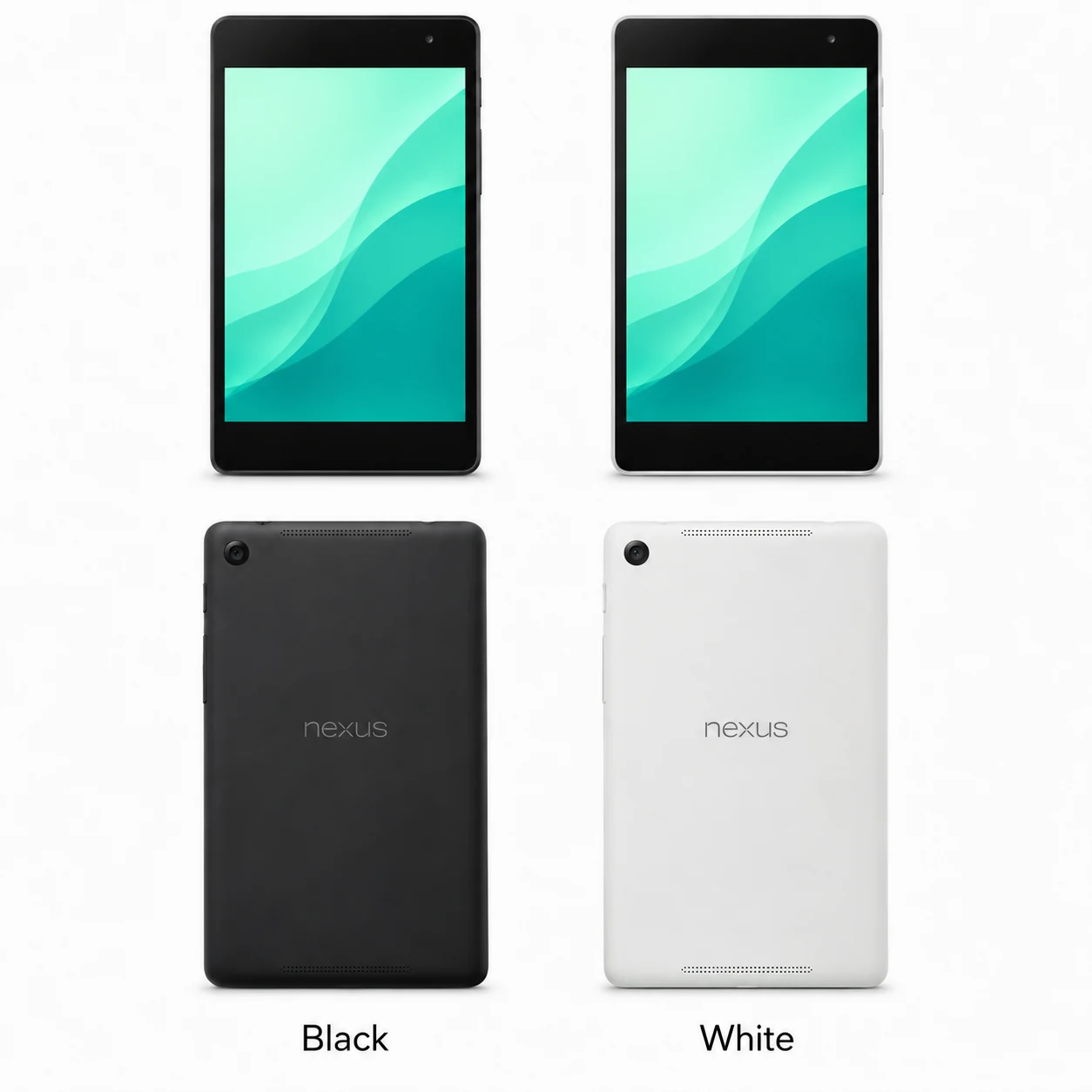
Nexus 7 (2013) model numbers
A model number identifies the model or hardware version and is shared by many devices. Serial numbers and mobile-network identifiers such as IMEI or MEID belong to an individual device.
Where to find your model number
- Open Settings and look for About tablet to confirm the model name.
- Read the model or regulatory marking on the tablet or its original box.
- Keep the generation and Wi-Fi or mobile-data version together when matching parts or accessories.
If the tablet will not turn on: Check the original packaging and the tablet’s external label under good lighting. Keep the serial number separate from the model identifier.
Verified hardware identifiers listed below. Storage and colour are separate choices; match the complete marking on your tablet.
Swipe the table sideways on a narrow screen.
| Model number | Version or region | Useful detail |
|---|---|---|
| K008 | 2013 Wi-Fi | ASUS Pad K008 certification name. |
| K009 | 2013 LTE | ASUS Pad K009 certification name; mobile-data hardware. |
2 recorded colours
These are the original finishes recorded for this model, including documented later colours. Availability varied over time and by market.
- Black
Black front bezel; approximate swatch.
- White
White back with black front bezel; approximate swatch.
Use the colour and the model number together. Lighting, screen settings, cases and replacement backs can change how a device looks.
Getting to know the Nexus 7 (2013)
The rear camera helps identify the generation
The 2013 Nexus 7 has a 5MP rear camera and a 1920 × 1200 display. The original 2012 model has no rear camera. Keep the year in the device name: the two generations have different dimensions and internal hardware.
Match Wi-Fi and LTE variants correctly
ASUS identifies the Wi-Fi model as K008 and the LTE model as K009. The LTE version includes a SIM tray and 32GB storage. The family also supports Qi wireless charging, which gives a shop a second way to investigate a charging complaint.
Separate a screen fault from a charging fault
Record whether the tablet starts, whether touch works across the display, and whether charging differs between the Micro-USB socket and a compatible Qi pad. Test both cameras and the speakers before and after repair so that the outcome can be compared.
Specifications and what they mean
Read each specification alongside its explanation. Manufacturer test figures describe controlled conditions; age, usage and battery condition affect everyday performance.
Swipe the table sideways on a narrow screen.
| Feature | Nexus 7 (2013) | What it means |
|---|---|---|
| Screen | 7.02-inch IPS; 1920 × 1200 pixels | A higher-resolution display than the 2012 Nexus 7. |
| Processor | Qualcomm Snapdragon S4 Pro, 1.5GHz | The 2013 generation uses Qualcomm hardware. |
| Memory | 2GB RAM | Twice the listed RAM of the 2012 generation. |
| Storage | 16GB or 32GB Wi-Fi; 32GB LTE | Check both capacity and radio version. |
| Cameras | 5MP rear; 1.2MP front | The rear camera is a clear generation clue. |
| Wired connections | Micro-USB with SlimPort; 3.5mm headphone socket | Compatible SlimPort accessories can provide display output. |
| Wireless charging | Qi-compatible | The charging pad is a separate accessory. |
| Battery | 3950 mAh | The original capacity does not establish the health of a used battery. |
| Dimensions | 200 × 114 × 8.65 mm | Cases and screen assemblies must match the 2013 generation. |
| Connectivity | Wi-Fi; optional LTE model | Only the LTE version has a mobile-data SIM tray. |
Software and service compatibility
Google’s security-update guarantee for Nexus 7 (2013) ended in August 2016. Check the installed Android version and app requirements; a working screen or new battery does not change the software the device supports.
Common questions about the Nexus 7 (2013)
What is the difference between Nexus 7 K008 and K009?
K008 is the 2013 Wi-Fi model. K009 is the 2013 LTE model. ASUS lists these as distinct certified hardware names.
How do I distinguish the 2013 Nexus 7 from the 2012 version?
The 2013 version has a rear camera and a slimmer body. Confirm K008 or K009 on the hardware rather than relying on the Nexus 7 name alone.
Does Nexus 7 (2013) support wireless charging?
Yes. Google lists built-in Qi-compatible wireless charging. It also has a Micro-USB charging socket.
Was the 2013 Nexus 7 available in white?
Yes. ASUS documented both black and white rear finishes. The front bezel is black.
About this guide
Device details checked 21 November 2026. Regional features, software availability and colours can vary. Pictures are visual guides; colours and small details are approximate.