Pixel Slate model numbers
A model number identifies the model or hardware version and is shared by many devices. Serial numbers and mobile-network identifiers such as IMEI or MEID belong to an individual device.
Where to find your model number
- Open Settings, then About ChromeOS to view the regulatory information.
- Match the regulatory model C1A to the marking on the side or original packaging.
- Record the Intel processor, RAM and storage as well as the model code.
If the tablet will not turn on: Check the original packaging and the tablet’s external label under good lighting. Keep the serial number separate from the model identifier.
Verified hardware identifiers listed below. Storage and colour are separate choices; match the complete marking on your tablet.
Swipe the table sideways on a narrow screen.
| Model number | Version or region | Useful detail |
|---|---|---|
| C1A | Pixel Slate | Google regulatory model; processor, RAM and storage vary by configuration. |
Original finish
These are the original finishes recorded for this model, including documented later colours. Availability varied over time and by market.
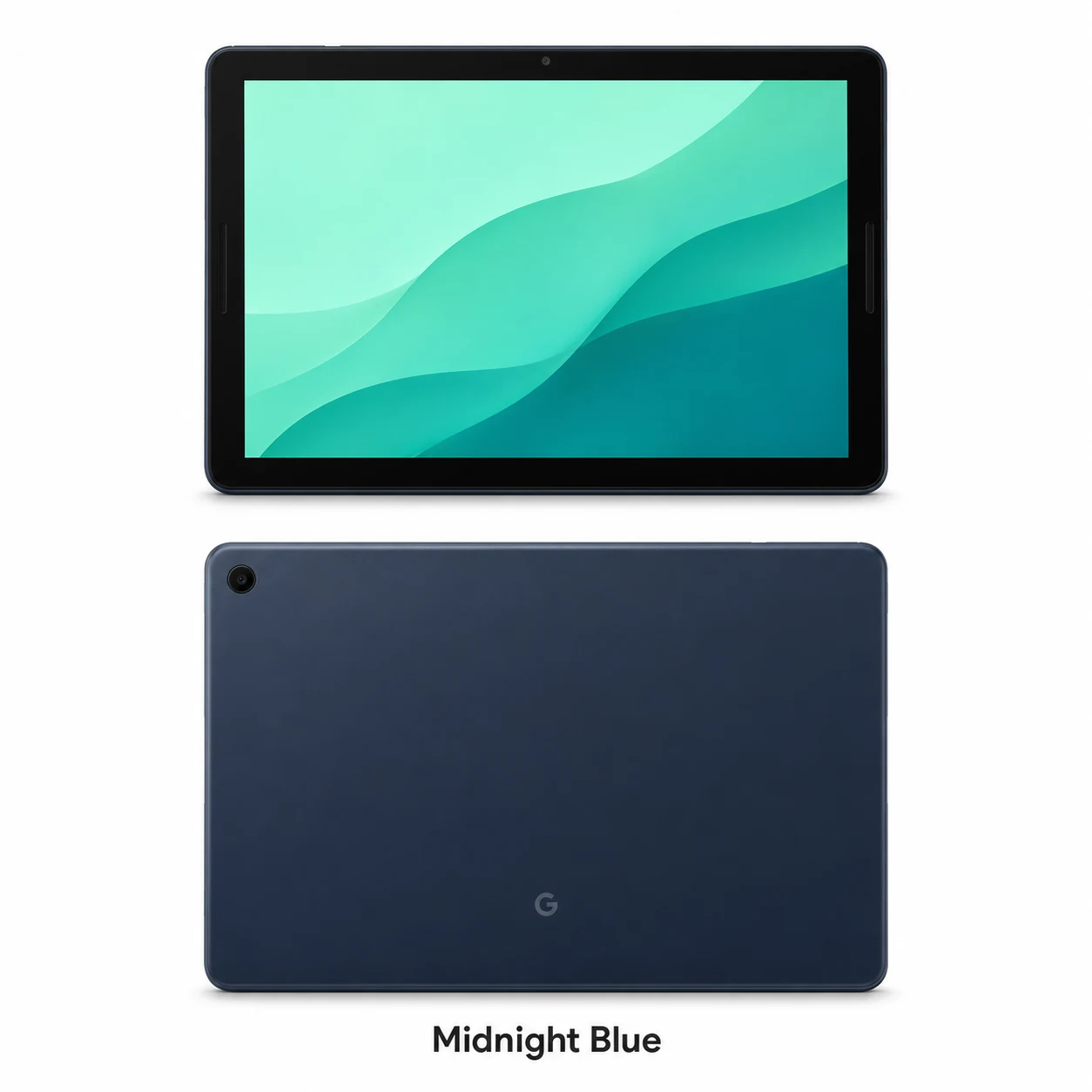
- Midnight Blue
Dark blue aluminium back with black front bezel; approximate swatch.
Use the colour and the model number together. Lighting, screen settings, cases and replacement backs can change how a device looks.
Getting to know the Pixel Slate
A ChromeOS tablet with a desktop browser
Pixel Slate combines a 3:2 touchscreen with ChromeOS. The taller screen shape provides useful space for documents and web pages. Its optional keyboard turns it into a laptop-style setup, while the tablet can also be used on its own.
The processor and memory configuration matter
The range included Intel Celeron and eighth-generation Core m3, i5 and i7 processors. RAM and storage vary between configurations. Two tablets marked C1A can therefore have different performance and capacity; record the configuration as well as the hardware model.
Check both ports and the keyboard connection
When reporting a charging problem, tell the shop whether it affects one USB-C port or both. Include any keyboard or pen fault in the pre-repair record. The post-repair check can cover charging, touchscreen response, speakers, cameras and the fingerprint power button.
Specifications and what they mean
Read each specification alongside its explanation. Manufacturer test figures describe controlled conditions; age, usage and battery condition affect everyday performance.
Swipe the table sideways on a narrow screen.
| Feature | Pixel Slate | What it means |
|---|---|---|
| Operating system | ChromeOS | Pixel Slate uses Google’s desktop-oriented operating system. |
| Screen | 12.3-inch LTPS LCD; 3000 × 2000 pixels | The 3:2 panel supports touch and Pixelbook Pen. |
| Processors | Intel Celeron or 8th-gen Core m3, i5 or i7 | Check the individual configuration before comparing performance. |
| Memory | 4GB, 8GB or 16GB RAM | The amount depends on the configuration. |
| Storage | 32GB, 64GB, 128GB or 256GB | The available capacities span the original range. |
| Cameras | 8MP front; 8MP rear | The rear camera supports autofocus. |
| Ports | Two USB-C ports; keyboard accessory connector | USB-C supports charging, data and compatible display output. |
| Battery and charger | 48 watt-hours; 45W USB-C adapter | These are Google’s original specifications. |
| Unlocking | Fingerprint sensor in the power button | Fingerprint sign-in uses the upper-edge button. |
| Size | 290.85 × 202.04 × 7 mm | The keyboard adds its own thickness and weight. |
| Finish | Midnight Blue aluminium | The front has a black bezel. |
Software and service compatibility
Google lists automatic ChromeOS updates for Pixel Slate through June 2029, checked on 21 November 2026. Check Settings and About ChromeOS for the installed version and available updates. App, browser-extension and accessory compatibility depend on the configuration and software version.
Common questions about the Pixel Slate
Is Pixel Slate the same as Pixel Tablet?
No. Pixel Slate is the 2018 ChromeOS model with Intel processor options. Pixel Tablet is the later Android tablet with Tensor G2.
What is the Pixel Slate model code?
Google’s regulatory documentation identifies Pixel Slate as C1A. The code identifies the hardware family; check the processor, RAM and storage configuration separately.
Can either Pixel Slate USB-C port be used for charging?
Google lists both USB-C ports for charging. Use a compatible adapter and cable, and report if one port behaves differently from the other.
Does Pixel Slate support a pen and keyboard?
Yes. It supports Pixelbook Pen and the optional Pixel Slate Keyboard. These are separate accessories.
About this guide
Device details checked 21 November 2026. Regional features, software availability and colours can vary. Pictures are visual guides; colours and small details are approximate.