Pixel C model numbers
A model number identifies the model or hardware version and is shared by many devices. Serial numbers and mobile-network identifiers such as IMEI or MEID belong to an individual device.
Where to find your model number
- Open Settings and look in About tablet for the device name and regulatory information.
- Check for C1502W on the lower edge of the tablet or its original packaging.
- Match the tablet code and capacity before ordering a replacement part; keyboard model codes are separate.
If the tablet will not turn on: Read the small C1502W marking on the lower edge or consult the original packaging; you do not need to open the tablet.
C1502W identifies the Pixel C tablet; it does not identify its detachable keyboard or a storage capacity.
Swipe the table sideways on a narrow screen.
| Model number | Version or region | Useful detail |
|---|---|---|
| C1502W | Pixel C tablet | Tablet hardware code. The detachable keyboards have their own model identifiers. |
Original finish
These are the original finishes recorded for this model, including documented later colours. Availability varied over time and by market.
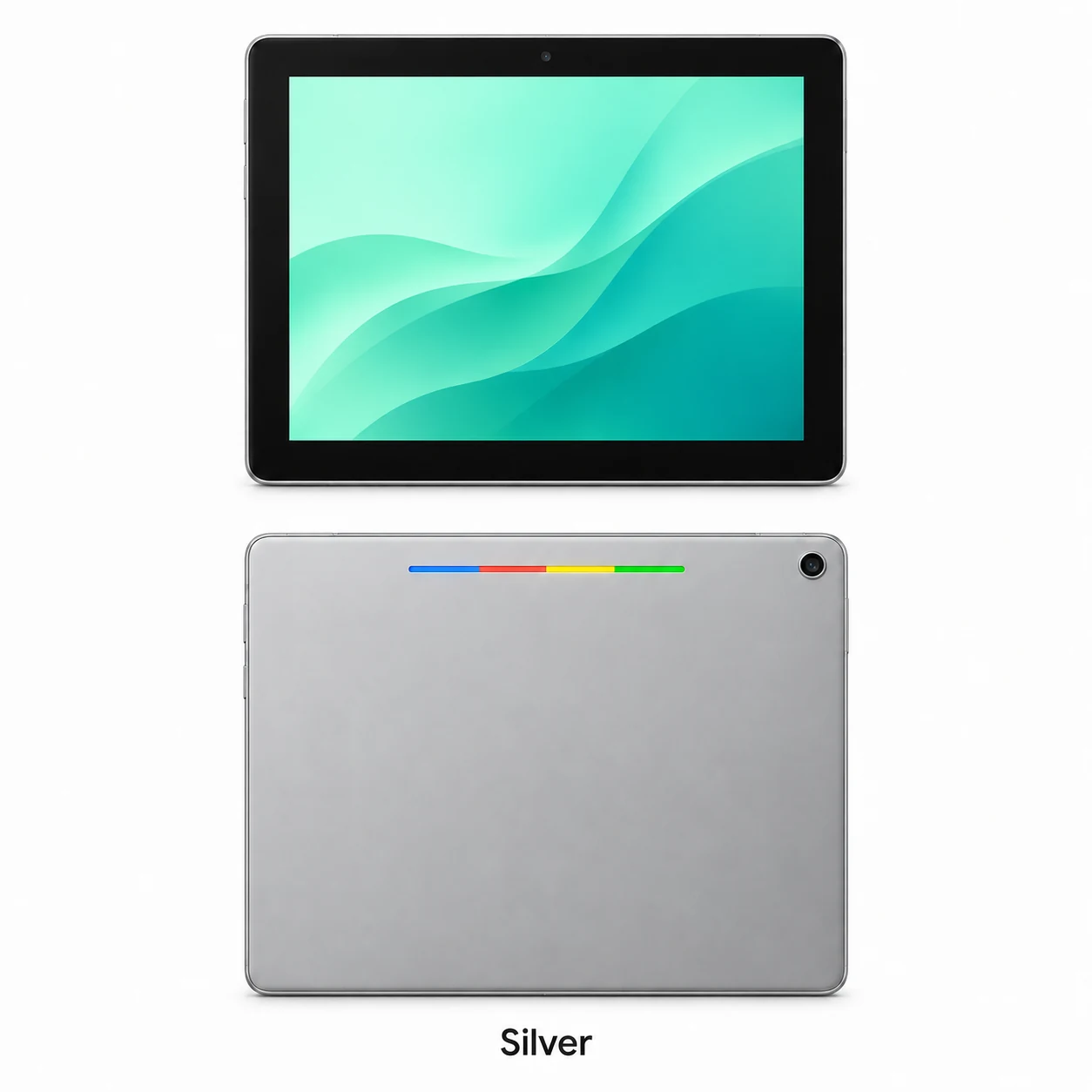
- Silver aluminium
Aluminium finish with black front bezel; approximate swatch.
Use the colour and the model number together. Lighting, screen settings, cases and replacement backs can change how a device looks.
Getting to know the Pixel C
Recognise the lightbar and aluminium body
Pixel C has a 10.2-inch screen with a 2560 × 1800 resolution. The four-colour lightbar on its aluminium back is a distinctive feature. The lightbar can also show battery status when used as described in the tablet’s help information.
A keyboard with its own connection and battery
The optional Pixel C Keyboard attaches magnetically and communicates over Bluetooth. It receives charge from the tablet when correctly placed against it. A keyboard that fails to type and a tablet that fails to charge are therefore different symptoms to record.
Identify the fault before ordering a part
For charging issues, record what the battery icon and lightbar do with a known-working compatible adapter. A shop’s initial check should distinguish a damaged USB-C socket, battery symptoms and a separate keyboard issue. Agree which functions will be checked again after the repair.
Specifications and what they mean
Read each specification alongside its explanation. Manufacturer test figures describe controlled conditions; age, usage and battery condition affect everyday performance.
Swipe the table sideways on a narrow screen.
| Feature | Pixel C | What it means |
|---|---|---|
| Screen | 10.2-inch LTPS; 2560 × 1800 pixels | The aspect ratio is slightly taller than 16:10. |
| Processor | Nvidia Tegra X1 | This is the tablet’s application and graphics platform. |
| Memory | 3GB RAM | Working memory is separate from file capacity. |
| Storage | 32GB or 64GB | Check which capacity is fitted to your tablet. |
| Cameras | 8MP autofocus rear; 2.1MP front | The front camera sits on the long edge for landscape calls. |
| Connections | USB-C; 3.5mm headphone socket | USB-C handles charging and compatible wired connections. |
| Battery | 34.2 watt-hours | Age and condition affect the energy a used battery can retain. |
| Wireless | Dual-band Wi-Fi; Bluetooth 4.1 | The optional keyboard connects using Bluetooth. |
| Body | 242 × 179 × 7 mm; aluminium finish | A coloured lightbar is built into the rear. |
| Original operating system | Android 6.0 Marshmallow | The installed version can differ after updates. |
Software and service compatibility
Google states that Pixel C Android version updates stopped in 2018, with security updates guaranteed only through June 2019. Check the requirements of your chosen apps and services before relying on this older tablet.
Common questions about the Pixel C
How can I recognise a Google Pixel C?
Look for the 10.2-inch format, aluminium back and four-colour lightbar. Confirm the device name and its external model marking before choosing parts.
Which charger does Pixel C use?
Pixel C charges through its USB-C port. Google recommends its supplied adapter; compatible lower-power charging sources can take longer.
How does the Pixel C Keyboard connect?
It attaches with magnets and pairs over Bluetooth. The keyboard has its own battery and charges from the tablet when positioned correctly.
Does Pixel C still have guaranteed Android updates?
Google says Android version updates stopped in 2018 and its security-update guarantee ran to June 2019. Check whether the apps you need still support the installed software.
About this guide
Device details checked 21 November 2026. Regional features, software availability and colours can vary. Pictures are visual guides; colours and small details are approximate.