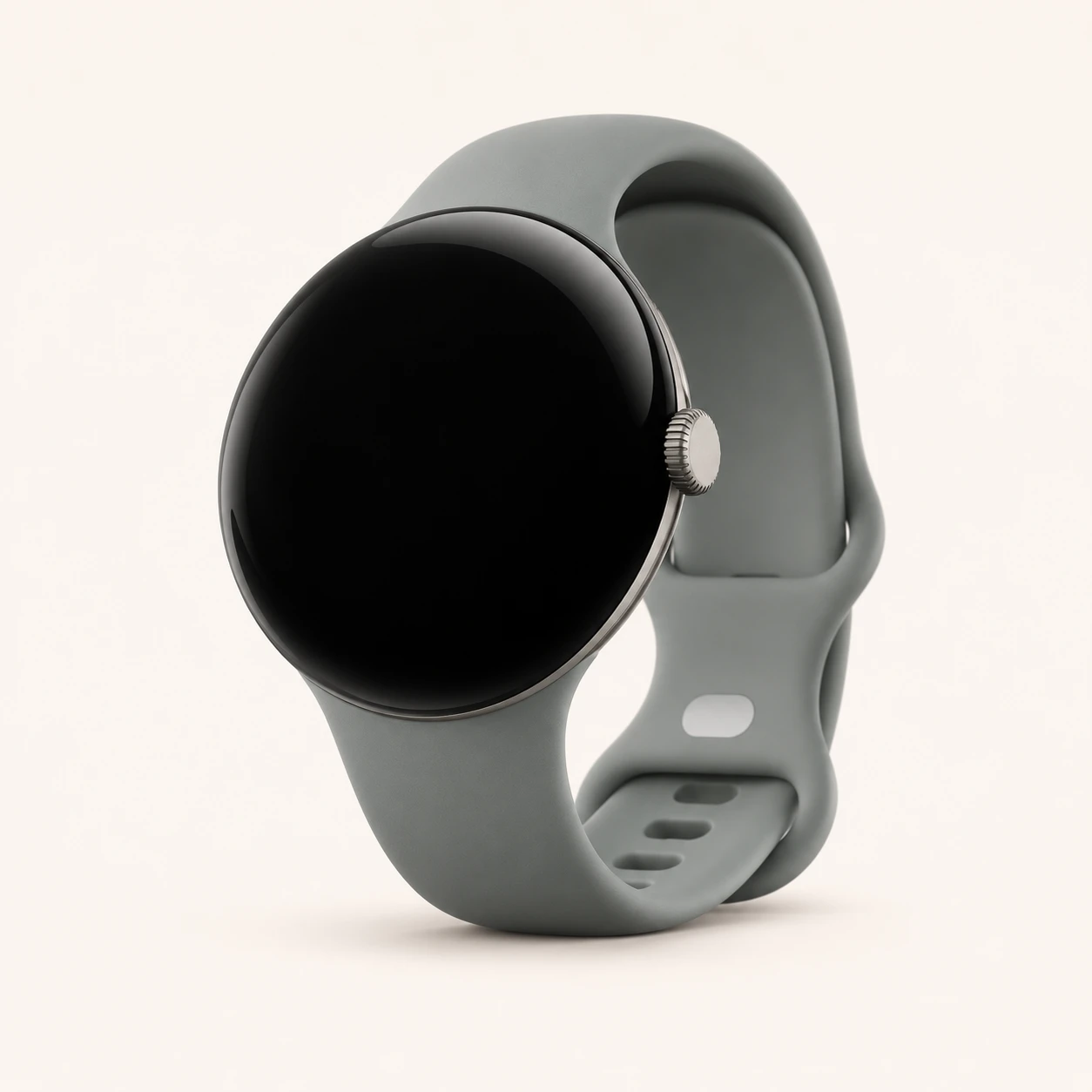
Pixel Watch 3 model numbers
A model number identifies the model or hardware version and is shared by many devices. Serial numbers and mobile-network identifiers such as IMEI or MEID belong to an individual device.
Where to find your model number
- On the watch, open Settings → System → About and record the model information.
- Open Settings → System → Regulatory Information to check the hardware marking.
- Match the complete G-code and case size. Keep the serial number and any LTE IMEI private; they identify the individual watch.
If the watch will not turn on: Check the original box, purchase record and visible case markings. Do not open the watch merely to identify it. A band colour can change and is not a reliable generation identifier.
Codes are checked against Google’s regulatory declarations. The table distinguishes case size and Bluetooth/Wi-Fi or LTE hardware. UK and EU declarations establish the preferred regional codes; imported watches can carry another listed code.
Swipe the table sideways on a narrow screen.
| Model number | Case size or version | Useful detail |
|---|---|---|
| GG3HH | 41 mm Bluetooth/Wi-Fi | Keep the case size and connection type with this code; it is not a unique serial number. |
| GBDU9 | 41 mm LTE | Keep the case size and connection type with this code; it is not a unique serial number. |
| GGE4J | 45 mm Bluetooth/Wi-Fi | Keep the case size and connection type with this code; it is not a unique serial number. |
| GRY0E | 45 mm LTE | Keep the case size and connection type with this code; it is not a unique serial number. |
A retail order number, band choice, serial number and IMEI are different from the watch’s hardware model code.
4 recorded colours
These are original case finishes, not a list of every interchangeable strap. Notes record size restrictions and selected original band combinations. Colour availability varied by size, region and sales period.
- Matte Black
Aluminium case in both 41 mm and 45 mm sizes; Obsidian launch band. On-screen colour is approximate; a replacement band does not change the case finish.
- Polished Silver
Both case sizes; Porcelain band, with Rose Quartz also listed for 41 mm. On-screen colour is approximate; a replacement band does not change the case finish.
- Champagne Gold
41 mm aluminium case; Hazel launch band. On-screen colour is approximate; a replacement band does not change the case finish.
- Matte Hazel
45 mm aluminium case; Hazel launch band. On-screen colour is approximate; a replacement band does not change the case finish.
Use the colour and the model number together. Lighting, screen settings, cases and replacement backs can change how a device looks.
Getting to know the Pixel Watch 3
Screen, case and controls
The display can vary its refresh rate from 1 to 60Hz, and its published peak brightness is 2,000 nits. Case diameter is not the same measurement as screen diagonal. The 41 mm and 45 mm versions need their own correctly sized screen, housing and band fit, even when the colour looks similar.
Charging and battery
Both sizes use the Pixel Watch fast charging cable with contact pins. Their charging figures differ: Google lists about 60 minutes to full for 41 mm and about 80 minutes for 45 mm under its test conditions. Charging time by itself is not a battery-health test; cable alignment, temperature and use also matter.
Checks before a repair
Start a repair enquiry with the case size and G-code. Report touch and image faults separately, then describe crown, side-button, speaker, microphone and charging behaviour. For a connection problem, establish whether Bluetooth, Wi-Fi or LTE is affected. A cellular plan issue does not by itself establish a watch hardware fault.
Specifications and what they mean
Read each specification alongside its explanation. Manufacturer test figures describe controlled conditions; age, usage and battery condition affect everyday performance.
Swipe the table sideways on a narrow screen.
| Feature | Pixel Watch 3 | What it means |
|---|---|---|
| Introduced | 2024 | The generation’s introduction year. The date of a later purchase does not create a new hardware generation. |
| Case sizes and material | 41 mm or 45 mm aluminium | Case size helps identify the hardware. A small or large wristband is a separate measurement. |
| Dimensions and weight | 41 mm: 31 g; 45 mm: 37 g; both 12.3 mm thick, without band | Weight excludes the band. Match the case size when checking a screen, rear cover or battery. |
| Screen | Actua LTPO AMOLED; 1–60Hz; up to 2,000 nits | Peak brightness is a test figure. It does not establish replacement-screen compatibility. |
| Processor | Qualcomm Snapdragon W5 Gen 1; Cortex-M33 co-processor | The main processor and co-processor perform different tasks. Similar watch names do not mean identical internals. |
| Storage | 32GB | Built-in space for apps and downloaded content; usable capacity is lower. |
| Memory (RAM) | 2GB | Working memory for running software, separate from content storage. |
| Battery capacity | 41 mm: 307mAh; 45 mm: 420mAh, typical | Original typical capacity. Wear, charging history and settings affect the running time of a used watch. |
| Published battery life | Up to 24 hours with always-on display; up to 36 hours in Battery Saver | Manufacturer test figures; enabled features, signal, temperature and battery age affect actual results. |
| Charging equipment | USB-C fast charging cable with contact pins | USB-C describes the power end of the cable. The watch connection must match the correct generation. |
| Published charging time | To full: about 60 minutes for 41 mm; about 80 minutes for 45 mm | Approximate test results with compatible equipment. These are not a diagnosis of battery condition. |
| Bluetooth and Wi-Fi | Bluetooth 5.3; 2.4GHz and 5GHz Wi-Fi | Nearby phone pairing and Wi-Fi are separate from an LTE mobile subscription. |
| Mobile network | Bluetooth/Wi-Fi and LTE versions; eSIM on LTE hardware | A compatible network and service plan are required for cellular features. Confirm imported hardware with the operator. |
| Controls and audio | Rotating crown, side button, microphone and speaker | Test the controls and audio separately when recording a fault. |
| Launch software | Wear OS 5.0 | This is the launch system, not a statement of the latest version installed on every watch. |
| Paired phone | Compatible Android 10.0 or newer; Google account and Pixel Watch app | Google does not support pairing these watches with an iPhone. Check app and regional requirements for the intended phone. |
| Published water/dust rating | 5ATM and IP68 | A rating describes controlled tests. Age, damage or a repair can affect resistance; ask the repairer about sealing checks. |
Software and service compatibility
Google’s published minimum software-update date for Pixel Watch 3 is October 2027. This is the published minimum commitment, rather than a promise about individual future features. Checked on 21 November 2026. App availability and phone compatibility can change separately.
Common questions about the Pixel Watch 3
How do I identify my Pixel Watch 3?
Open Settings, then System and About, and read the model information. Regulatory Information provides the hardware marking. Match the complete G-code with this guide and record the case size and LTE or Bluetooth/Wi-Fi version. The serial number identifies one individual watch.
Which charger does Pixel Watch 3 need?
Both sizes use the Pixel Watch fast charging cable with contact pins. Their charging figures differ: Google lists about 60 minutes to full for 41 mm and about 80 minutes for 45 mm under its test conditions. Charging time by itself is not a battery-health test; cable alignment, temperature and use also matter.
Will Pixel Watch 3 work with an iPhone?
No. Google lists compatible Android 10.0 or newer phones for this generation, with a Google account and the Pixel Watch app. Check the current app and regional requirements before buying a watch for a particular phone.
Are 41 mm and 45 mm Pixel Watch 3 parts interchangeable?
Do not assume so. They have different dimensions and battery capacities. Match the case size and full hardware code before choosing a screen, battery, rear cover or band. A shared generation name does not establish that a part fits.
What is the published update-support period for Pixel Watch 3?
Google’s published minimum software-update date for Pixel Watch 3 is October 2027. This is the published minimum commitment, rather than a promise about individual future features. Checked on 21 November 2026. App availability and phone compatibility can change separately.
About this guide
Device details checked 21 November 2026. Regional features, software availability and colours can vary. Pictures are visual guides; colours and small details are approximate.